Nadia Oyelaran
10 published guides
 Maintenance
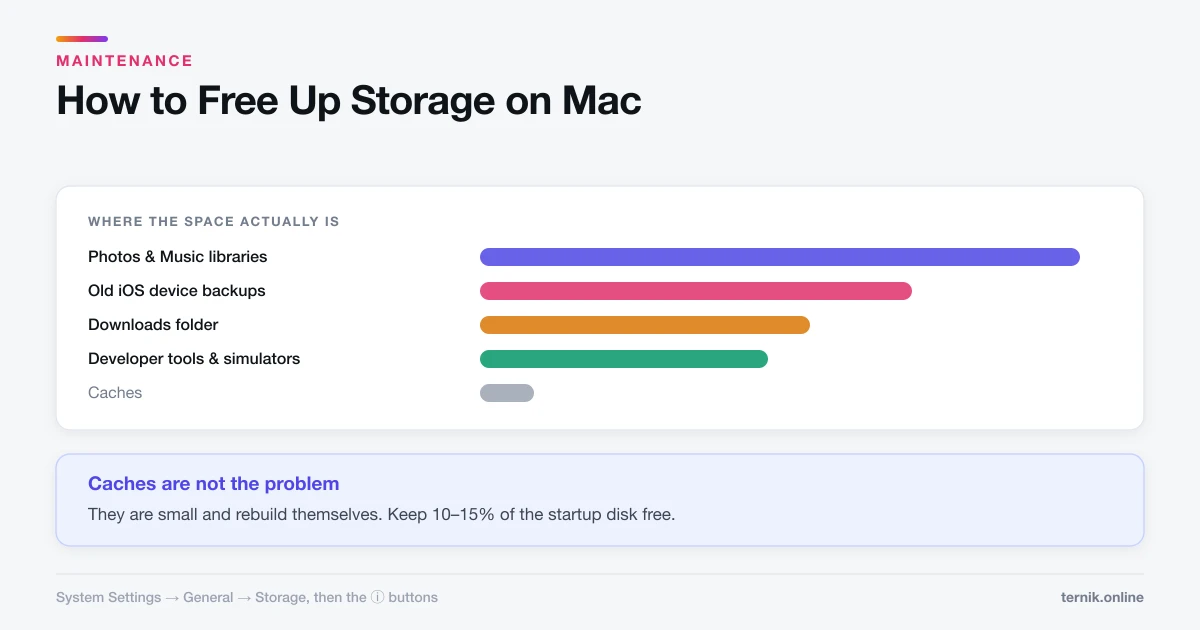
How to Free Up Storage on Mac (Where the Space Actually Is)
System Settings shows a storage breakdown that most people never open. Here is how to find the real space consumers instead of deleting caches and hoping.
 Maintenance
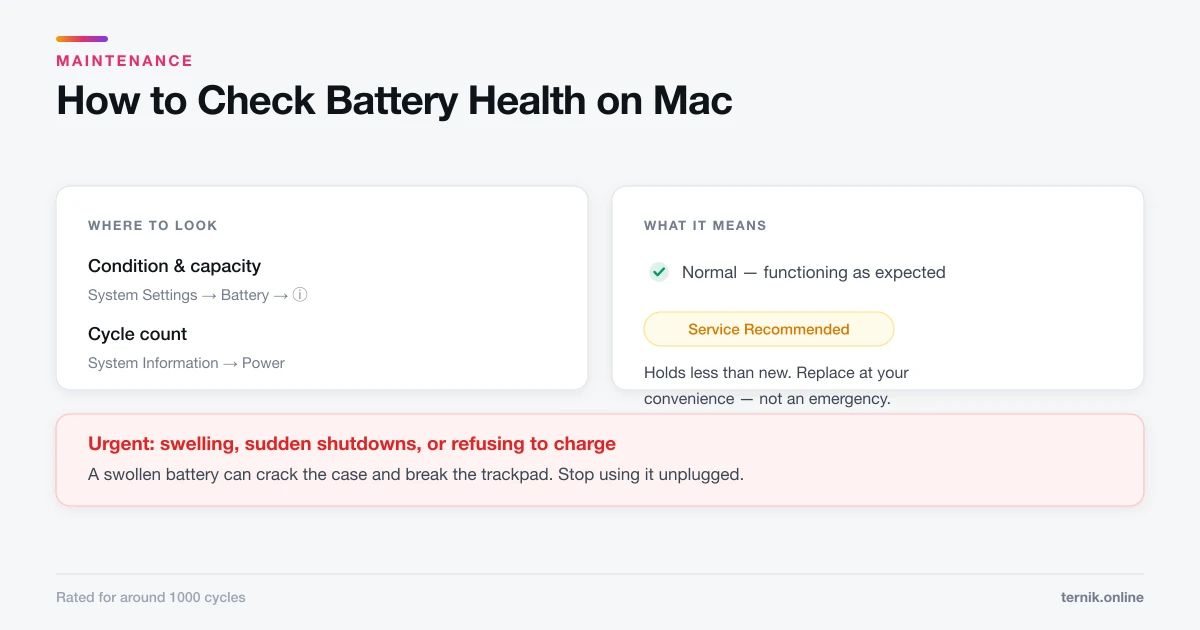
How to Check Battery Health on Mac (And What It Means)
Battery condition sits under System Settings, Battery. Here is where to find cycle count, what Service Recommended actually means, and what genuinely extends battery life.
 Maintenance
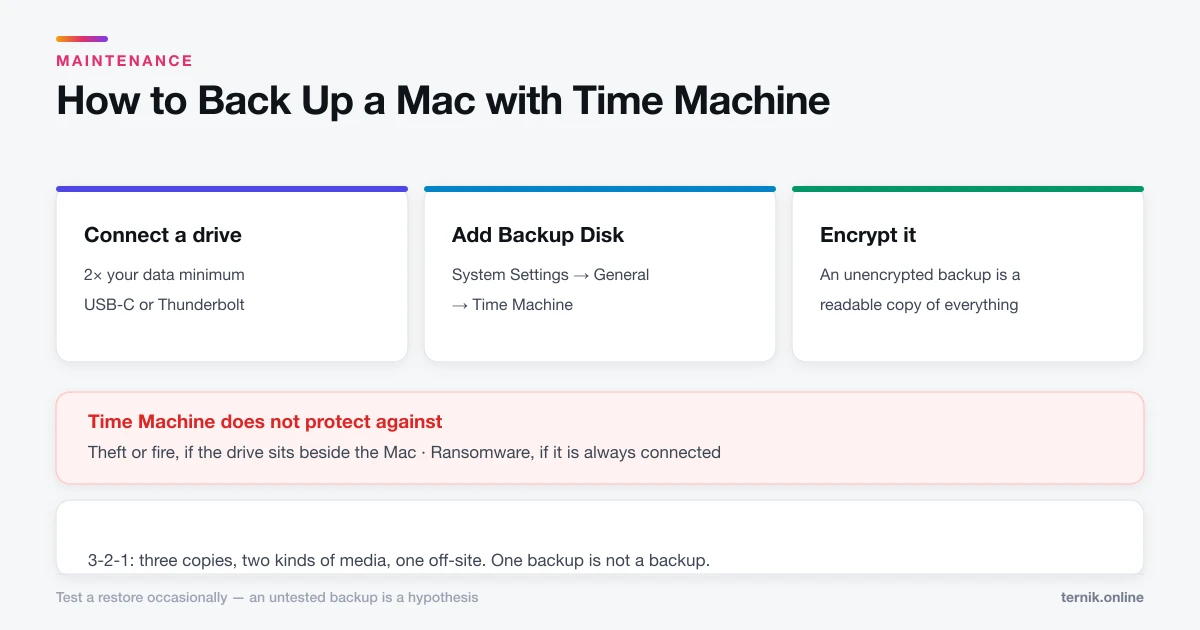
How to Back Up a Mac with Time Machine
Time Machine is built in and needs one external drive. Here is the setup, what it does and does not protect against, and why one backup is not enough.
 Maintenance
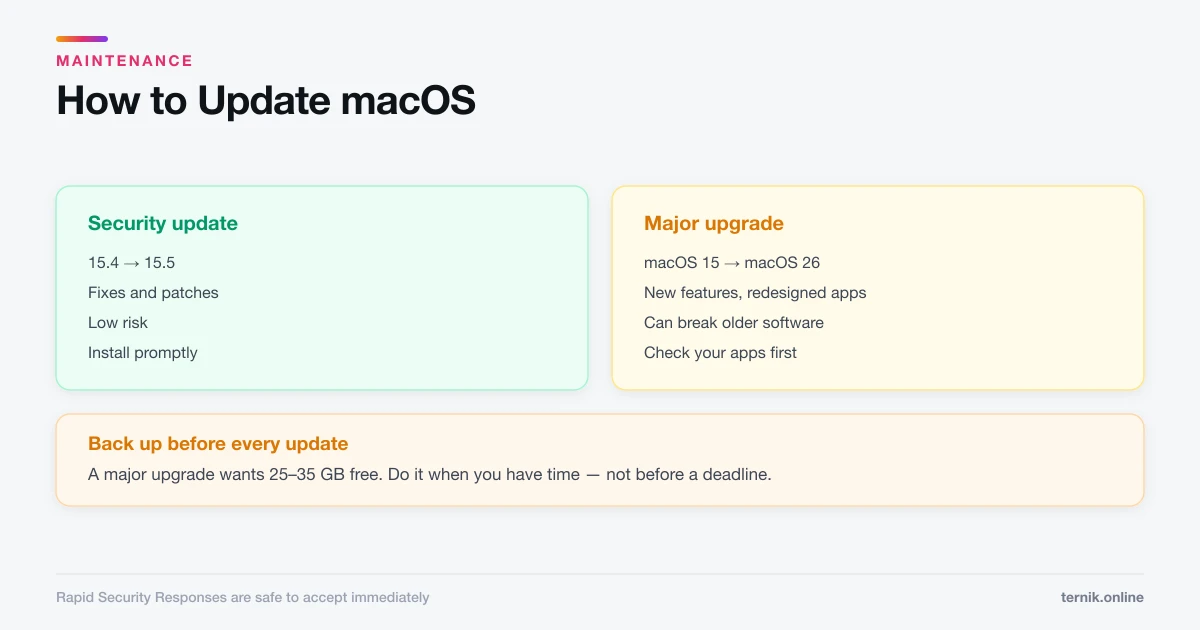
How to Update macOS (And When to Wait)
Software Update lives under System Settings, General. Here is how to update safely, the difference between a security patch and a major upgrade, and when to hold off.
 How-To
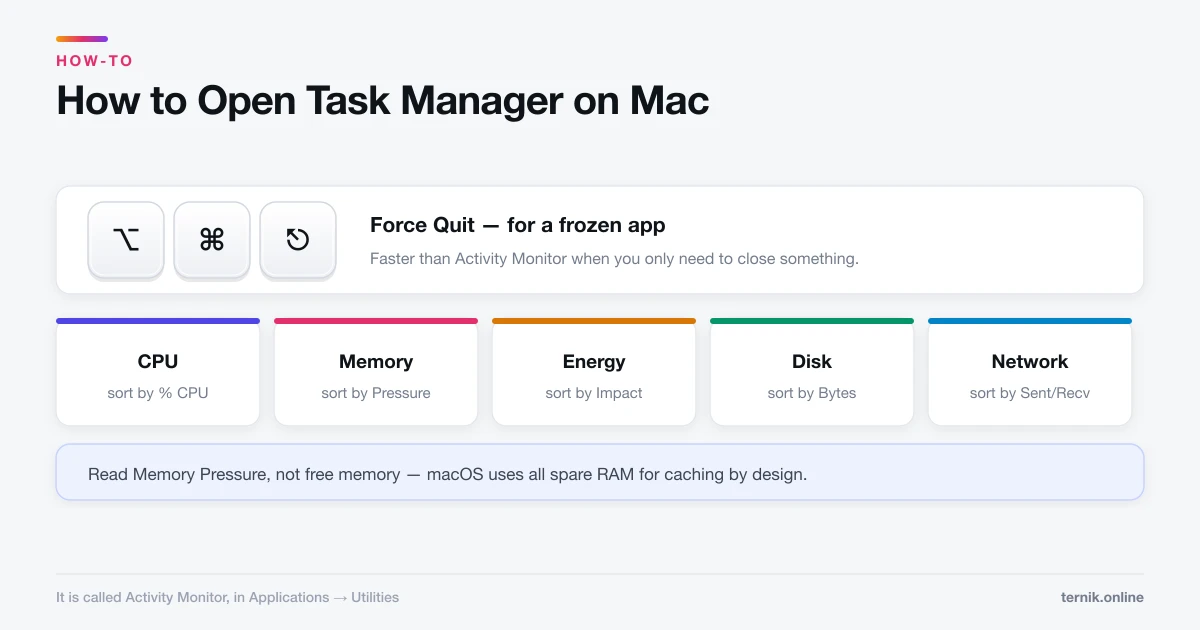
How to Open Task Manager on Mac (It's Called Activity Monitor)
macOS has no Task Manager — it has Activity Monitor, plus a separate Force Quit window. Here is how to open both and read what they tell you.
 Maintenance
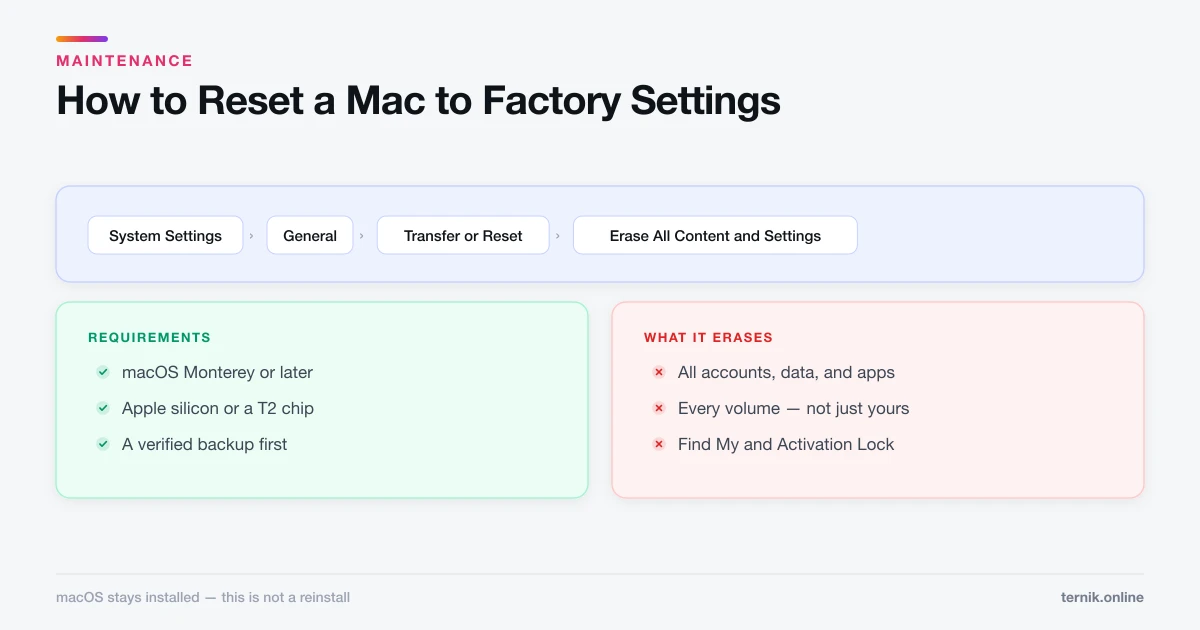
How to Reset a Mac to Factory Settings (Safely)
Erase All Content and Settings wipes a Mac in minutes while keeping macOS installed. Here is the full sequence, what to do first, and the Intel exception.
 Maintenance
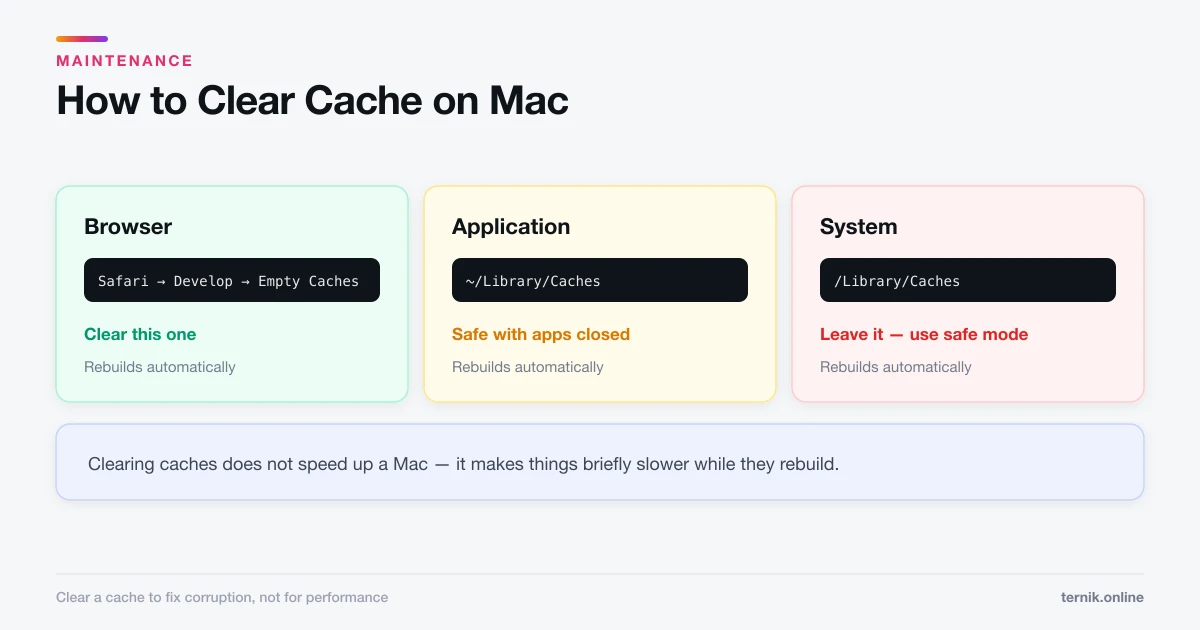
How to Clear Cache on Mac (Browser, App, and System)
There are three separate caches on a Mac and only one is usually worth clearing. Here is which is which, how to clear each safely, and what you lose.
 Maintenance
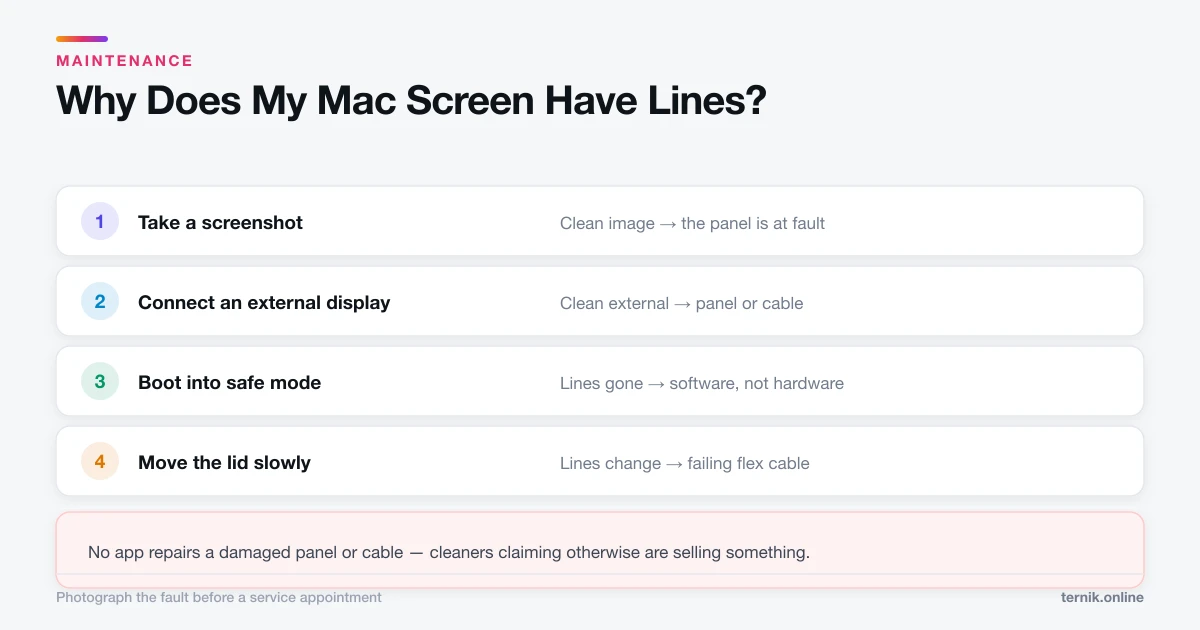
Why Does My Mac Screen Have Lines? (Software vs Hardware)
Vertical or horizontal lines on a Mac display are usually a failing cable, panel, or GPU — but not always. Here is how to tell hardware from software in ten minutes.
 Maintenance
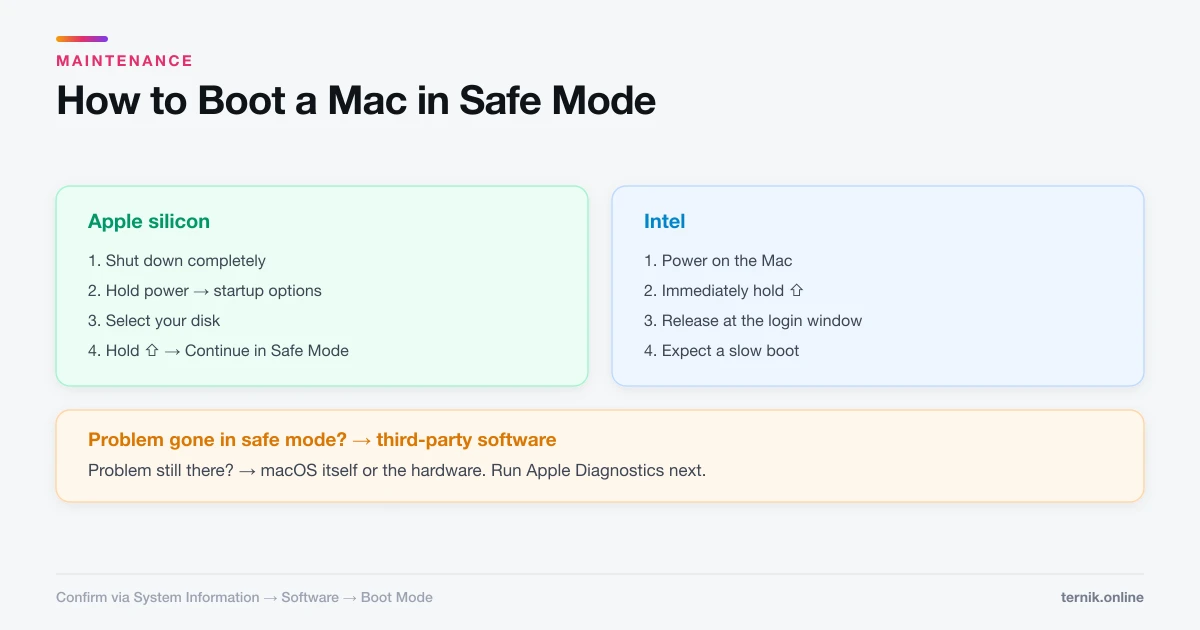
How to Boot a Mac in Safe Mode (Apple Silicon and Intel)
Safe mode loads a minimal macOS and clears system caches, which makes it the fastest way to tell a software fault from a hardware one. Here is how to enter and exit it.
 Maintenance
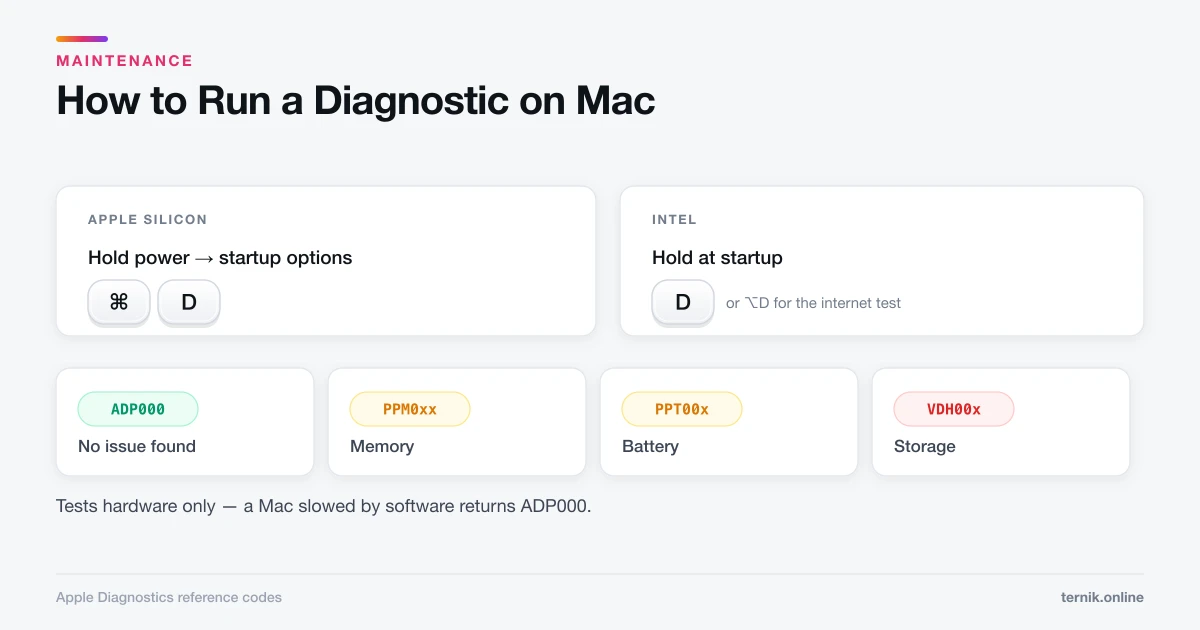
How to Run a Diagnostic on Mac (Apple Diagnostics Guide)
Apple Diagnostics tests your Mac's hardware in a few minutes and returns a reference code. Here is how to start it on Apple silicon and Intel Macs, and what each code means.