macOS guides and how-tos
35 step-by-step macOS how-tos. Filter by what you want to work on next.
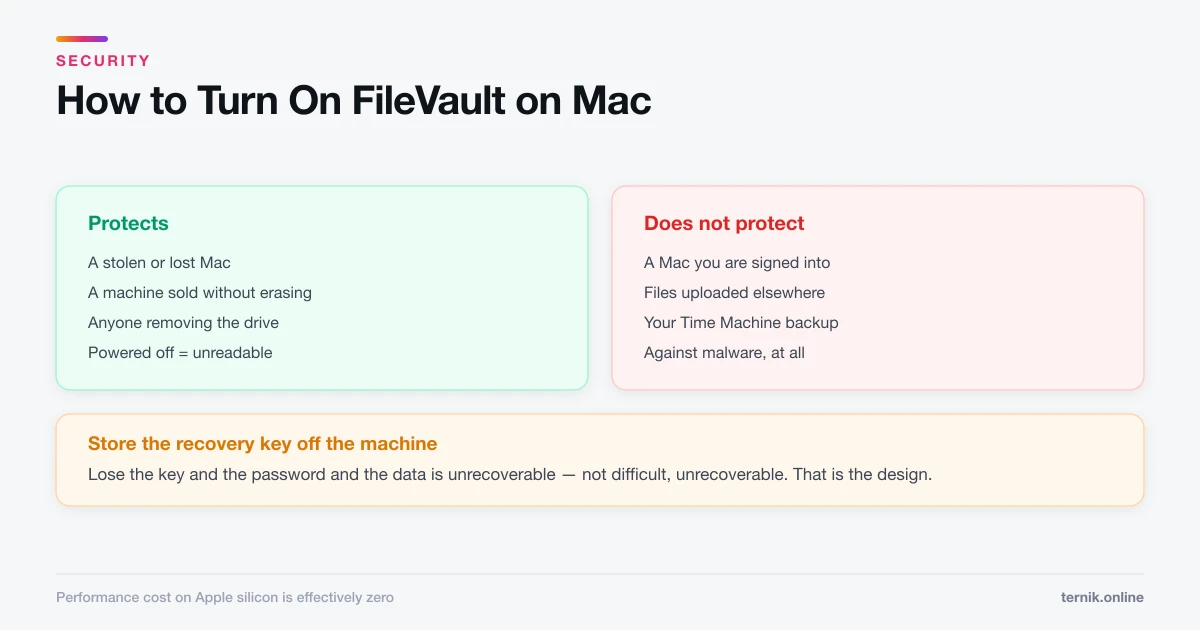 Security
How to Turn On FileVault on Mac (Full-Disk Encryption)
FileVault makes a powered-off Mac unreadable to anyone without your password. Turning it on takes two minutes — the recovery key is the part to get right.
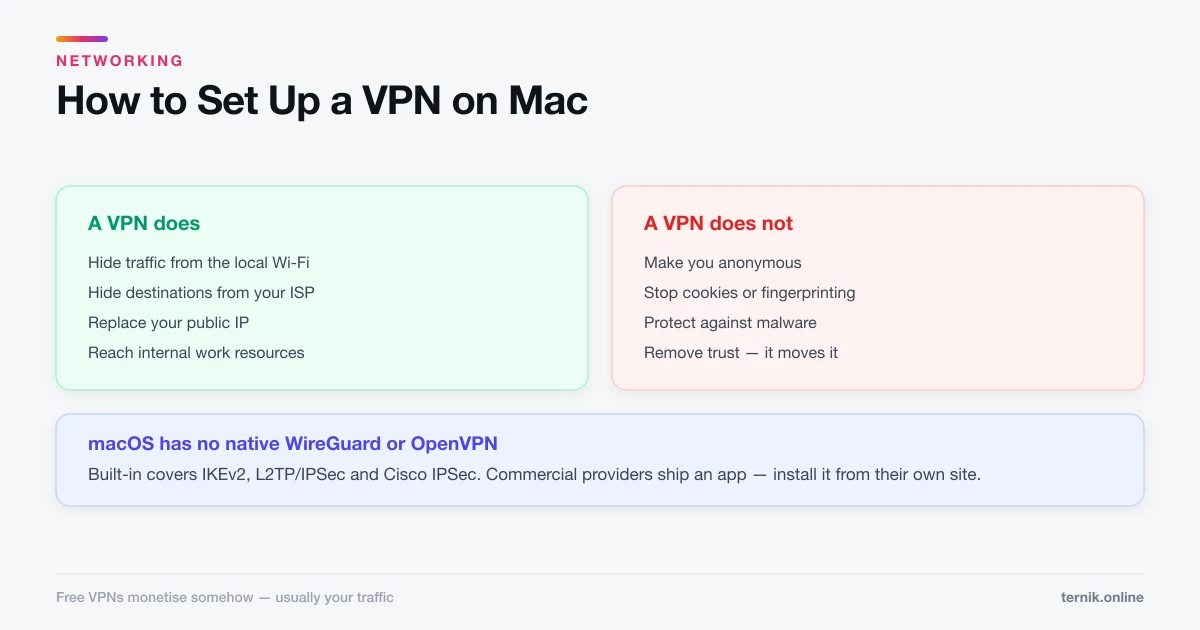 Networking
How to Set Up a VPN on Mac (Built-In and App-Based)
macOS has native VPN support under Network settings, but most commercial providers ship an app instead. Here is both routes, and an honest account of what a VPN protects.
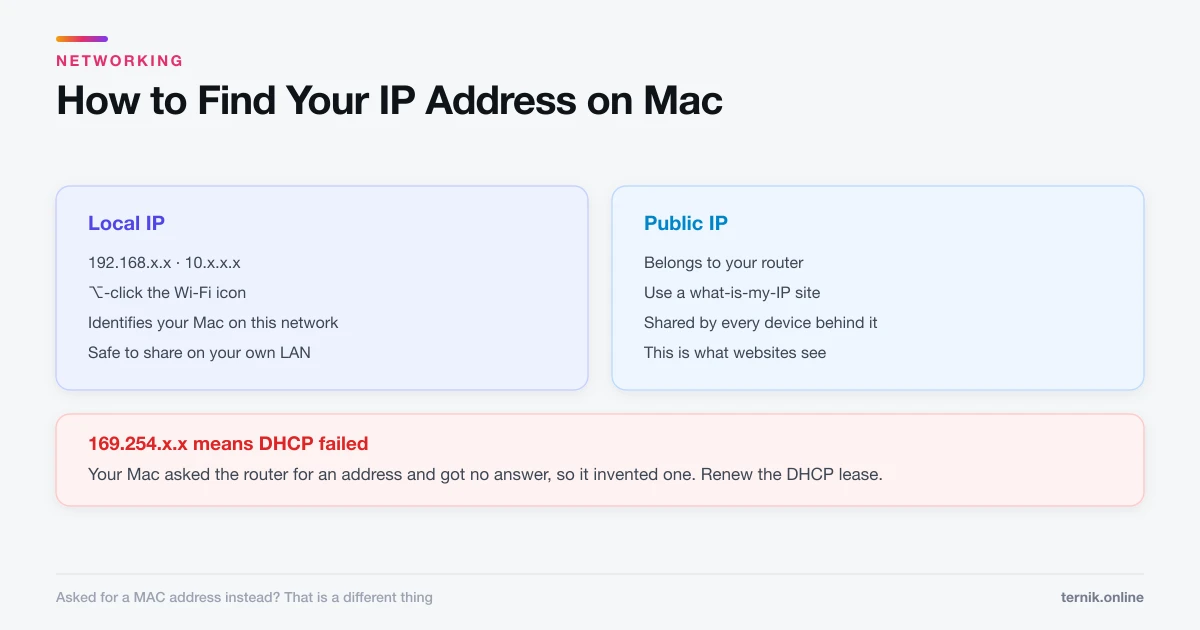 Networking
How to Find Your IP Address on Mac (Local and Public)
Your Mac has two IP addresses and they answer different questions. Here is how to find each, and which one someone is actually asking for.
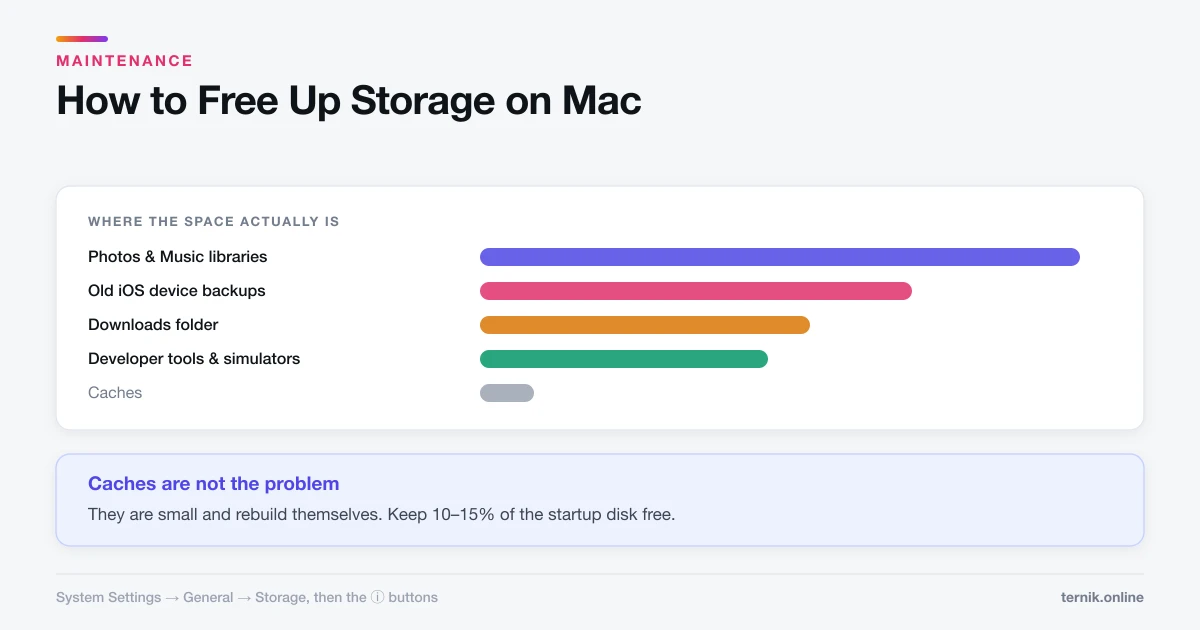 Maintenance
How to Free Up Storage on Mac (Where the Space Actually Is)
System Settings shows a storage breakdown that most people never open. Here is how to find the real space consumers instead of deleting caches and hoping.
 Maintenance
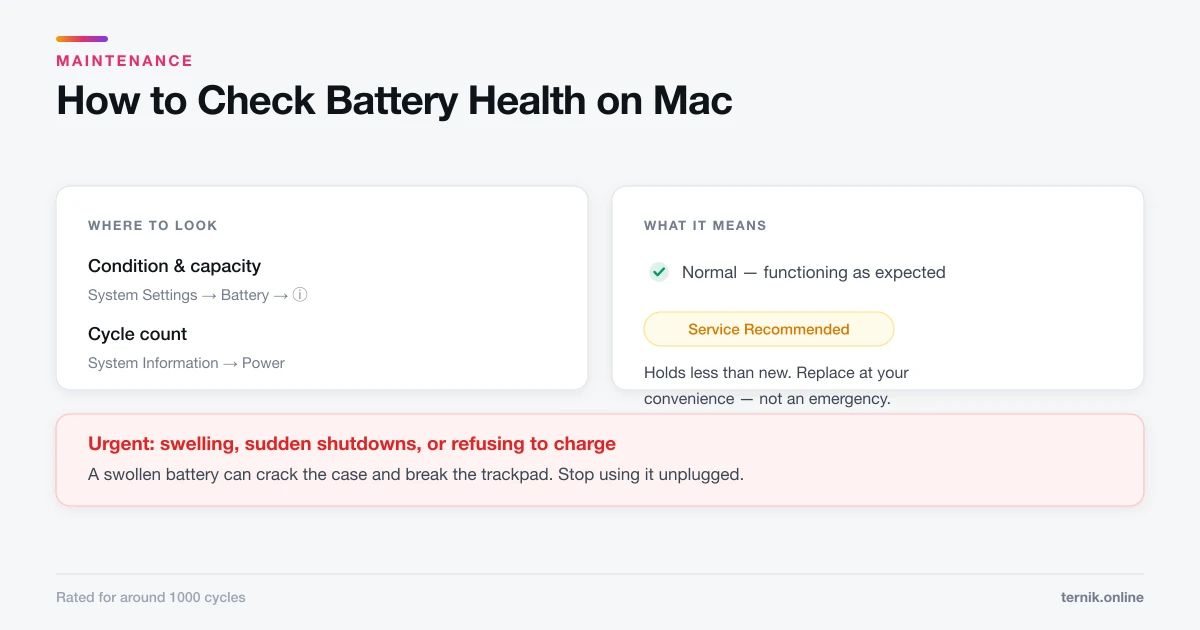
How to Check Battery Health on Mac (And What It Means)
Battery condition sits under System Settings, Battery. Here is where to find cycle count, what Service Recommended actually means, and what genuinely extends battery life.
 Maintenance
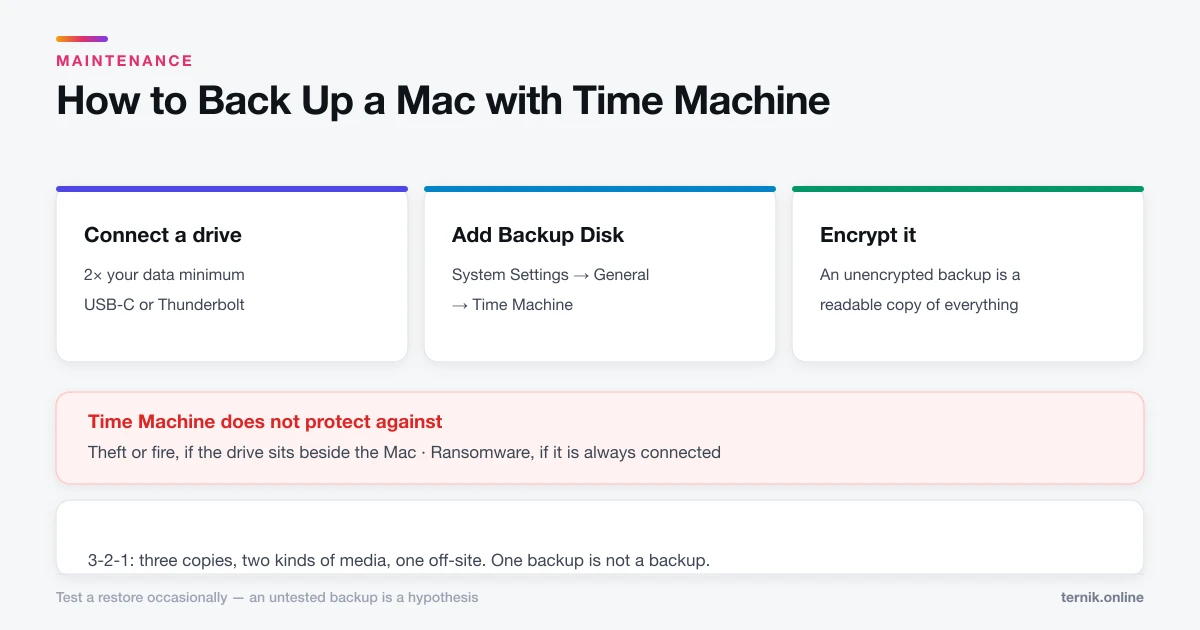
How to Back Up a Mac with Time Machine
Time Machine is built in and needs one external drive. Here is the setup, what it does and does not protect against, and why one backup is not enough.
 Maintenance
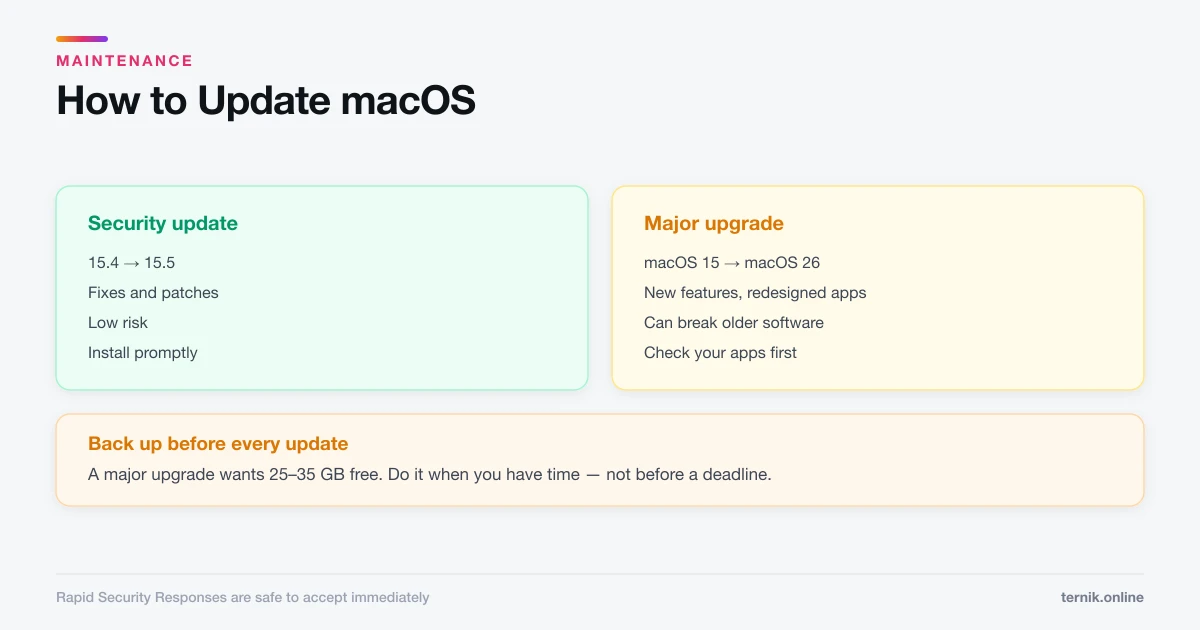
How to Update macOS (And When to Wait)
Software Update lives under System Settings, General. Here is how to update safely, the difference between a security patch and a major upgrade, and when to hold off.
 How-To
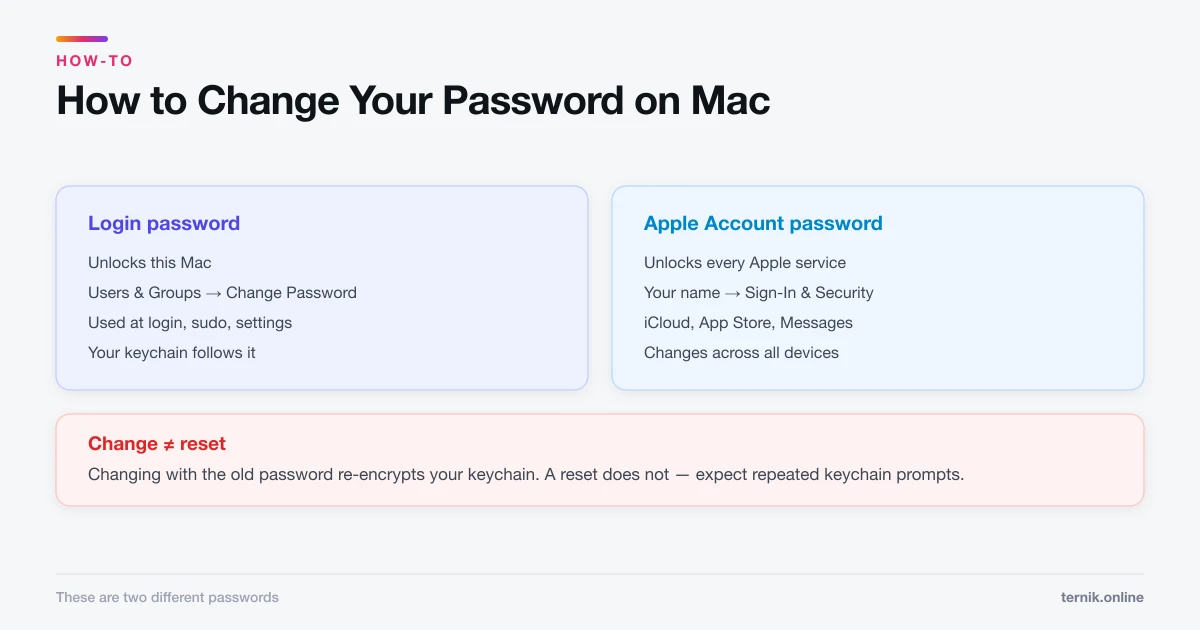
How to Change Your Password on Mac (Login and Apple Account)
Your Mac login password and your Apple Account password are different things. Here is how to change each, and what happens to FileVault and your keychain.
 How-To
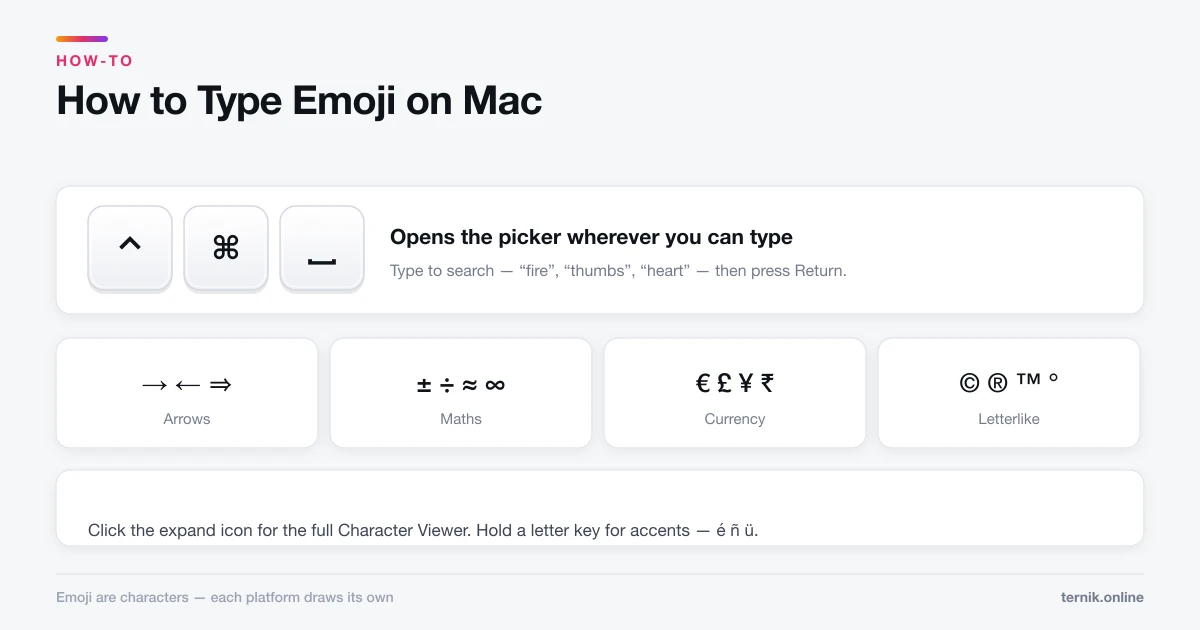
How to Type Emoji on Mac (And Find Any Symbol)
Control-Command-Space opens the emoji picker anywhere you can type. The same panel holds arrows, maths symbols, and accented characters most people never find.
 How-To
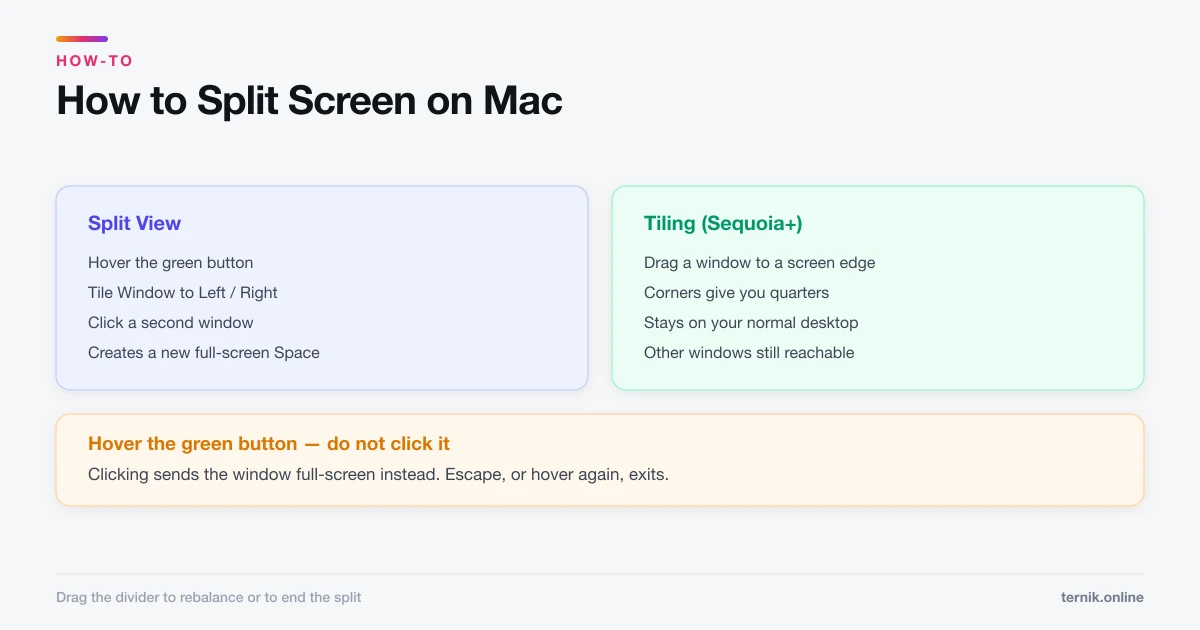
How to Split Screen on Mac (Split View and Tiling)
Hover the green button to put two apps side by side, or drag a window to a screen edge to tile it. Here is both, plus how to escape when you get stuck.
 How-To
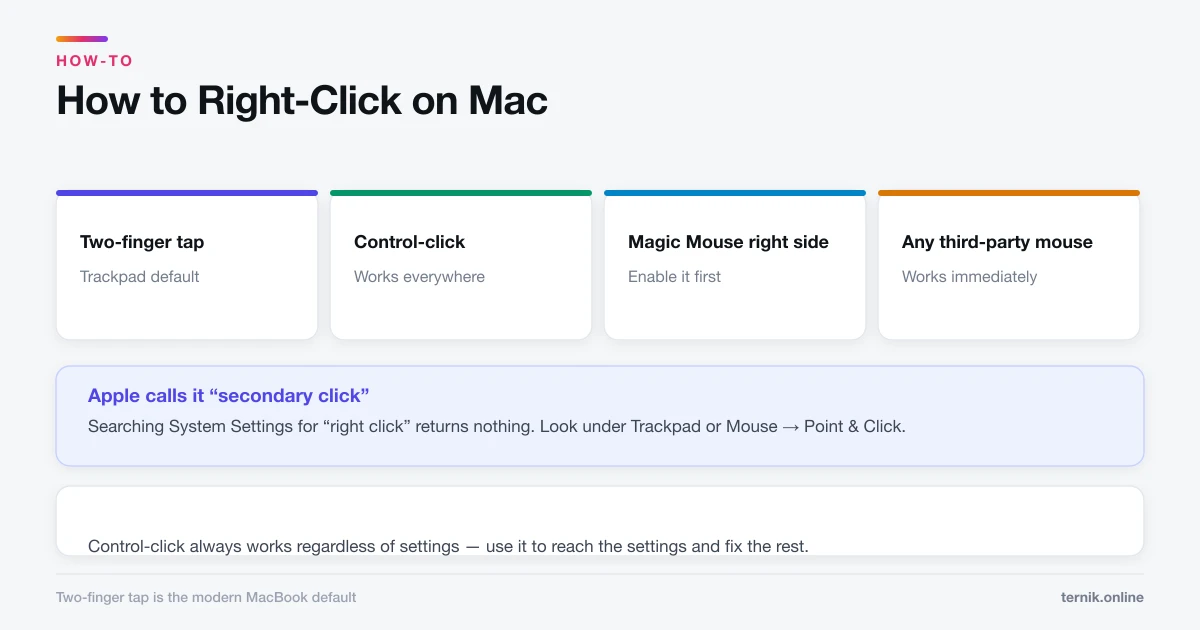
How to Right-Click on Mac (Every Method)
Macs have right-click — it is just off by default on some trackpads. Here are all four methods and how to turn on two-finger clicking.
 Literature
How Mac Flecknoe Shaped The Dunciad
Pope inherited Dryden's mock-heroic method directly, then scaled a personal quarrel into a vision of cultural collapse. Here is what carried over and what changed.
 Literature
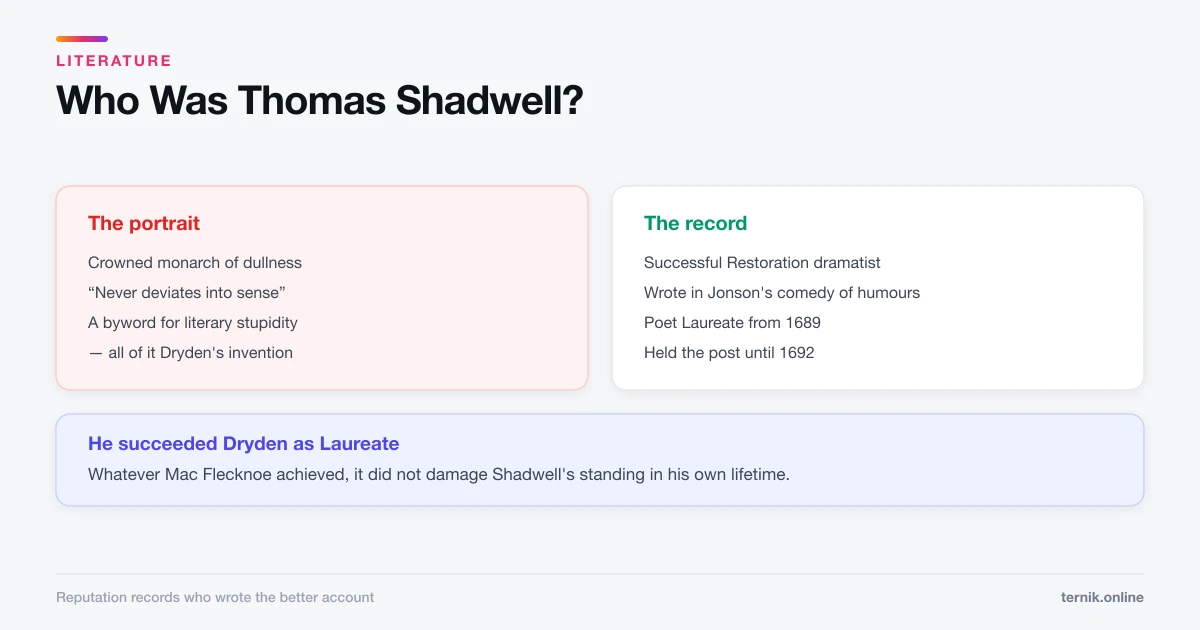
Who Was Thomas Shadwell? The Playwright Dryden Destroyed
Shadwell was a successful Restoration dramatist and Poet Laureate who is remembered almost entirely through the satire written to discredit him.
 Literature
What Is Mock-Heroic Poetry? (With Examples)
Mock-heroic applies the machinery of epic to a trivial subject. The gap between grand form and small matter is the joke — and usually the argument as well.
 How-To
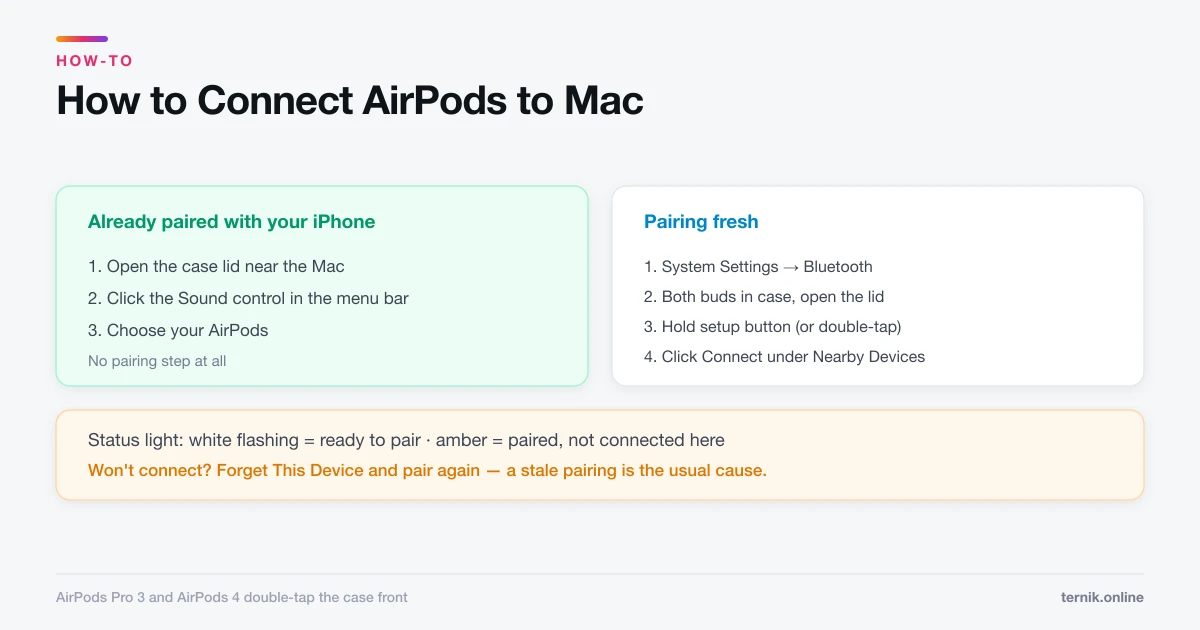
How to Connect AirPods to Mac (And Fix Them Not Connecting)
AirPods already paired with your iPhone appear in the Mac's Sound menu automatically. Pairing fresh takes the setup button. Here is both, plus the usual failures.
 How-To
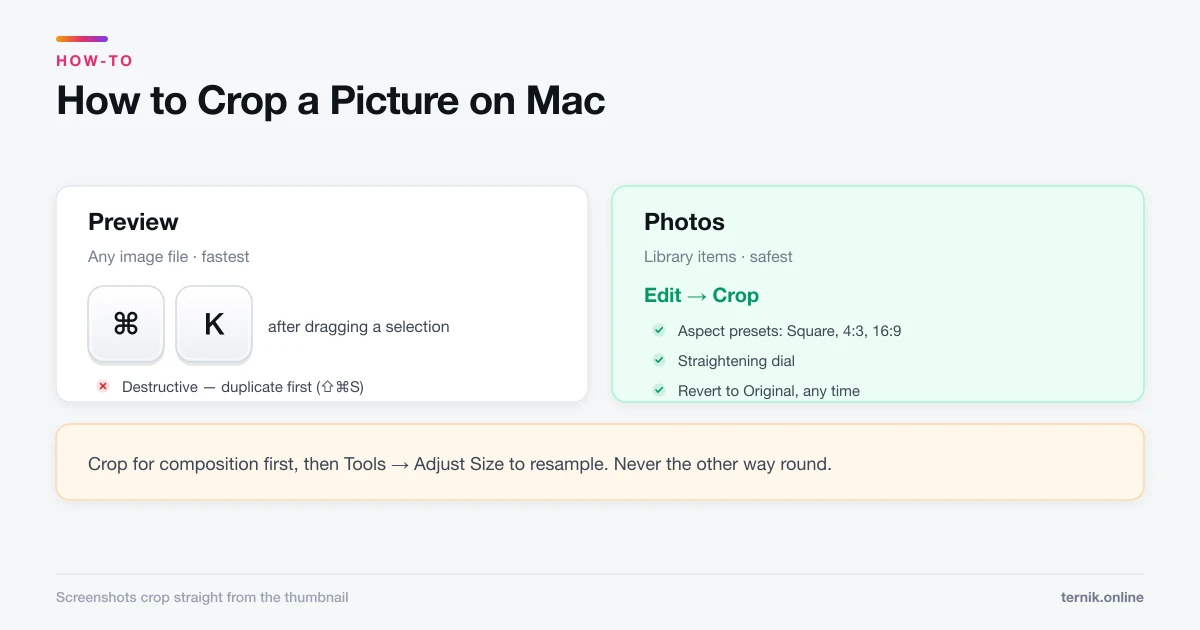
How to Crop a Picture on Mac (Preview, Photos, and Screenshots)
Preview crops any image file in three clicks and Photos crops non-destructively. Here is which to use, plus how to crop to an exact aspect ratio.
 How-To
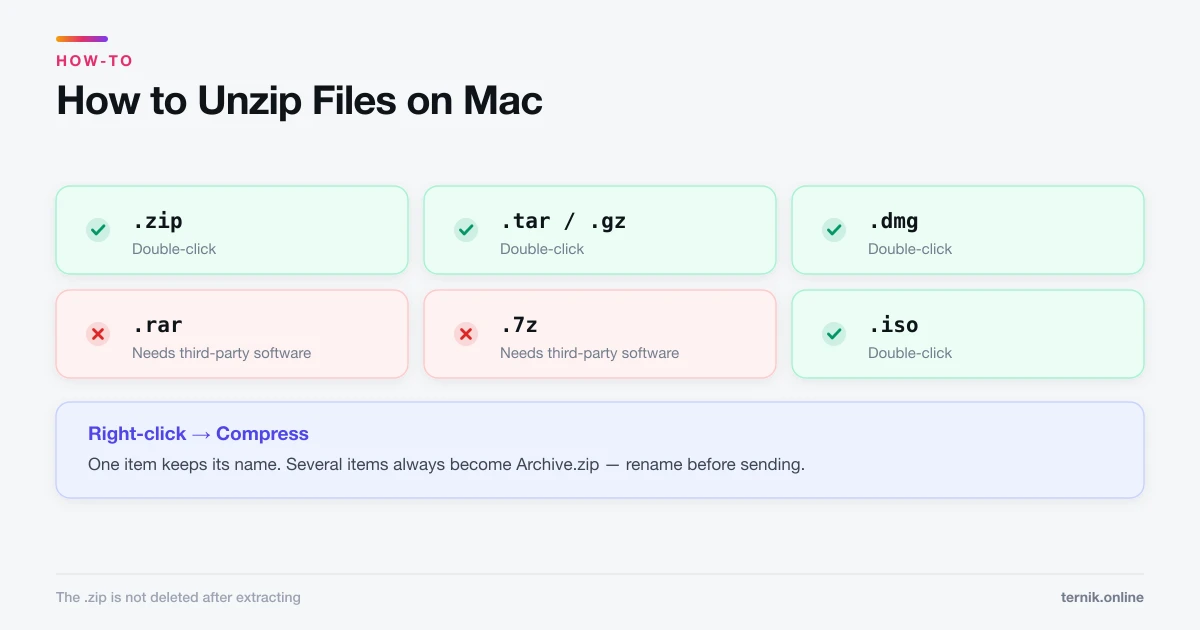
How to Unzip Files on Mac (And Extract Other Archive Types)
Double-clicking a .zip file extracts it — macOS needs no software for that. RAR and 7z are a different story. Here is what works natively and what does not.
 How-To
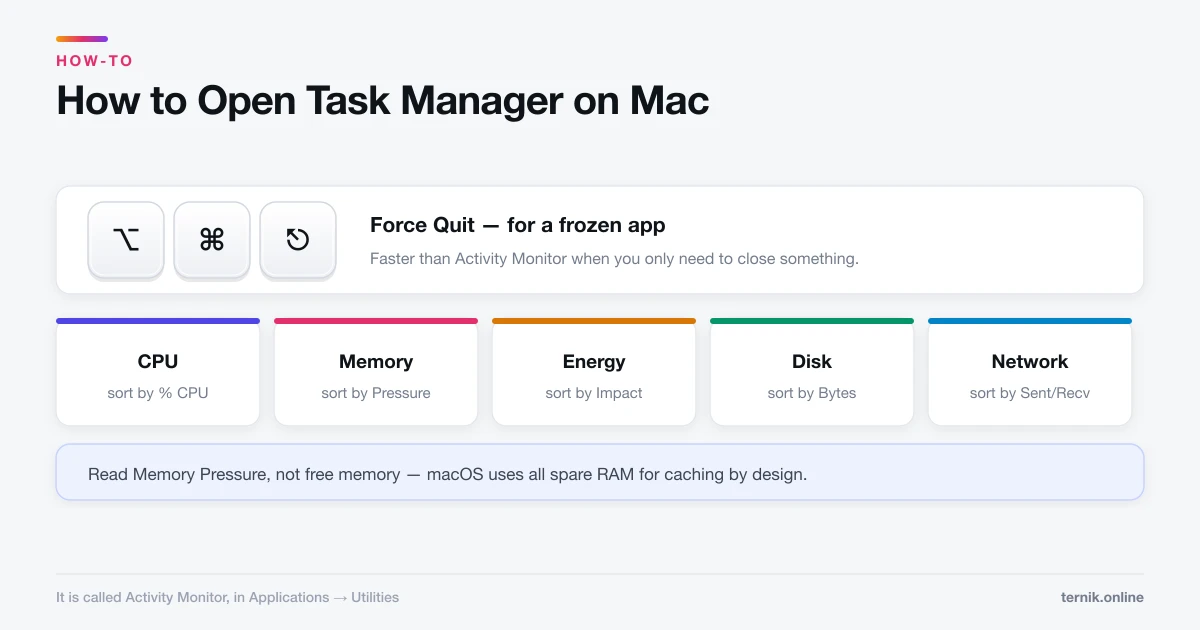
How to Open Task Manager on Mac (It's Called Activity Monitor)
macOS has no Task Manager — it has Activity Monitor, plus a separate Force Quit window. Here is how to open both and read what they tell you.
 Maintenance
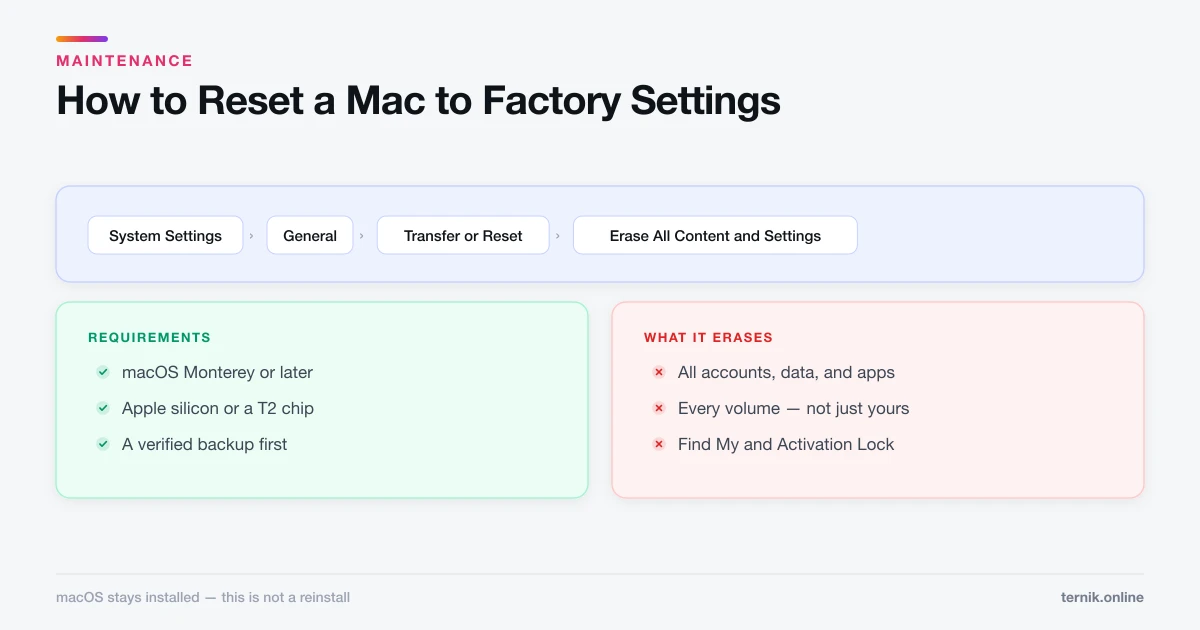
How to Reset a Mac to Factory Settings (Safely)
Erase All Content and Settings wipes a Mac in minutes while keeping macOS installed. Here is the full sequence, what to do first, and the Intel exception.
 Maintenance
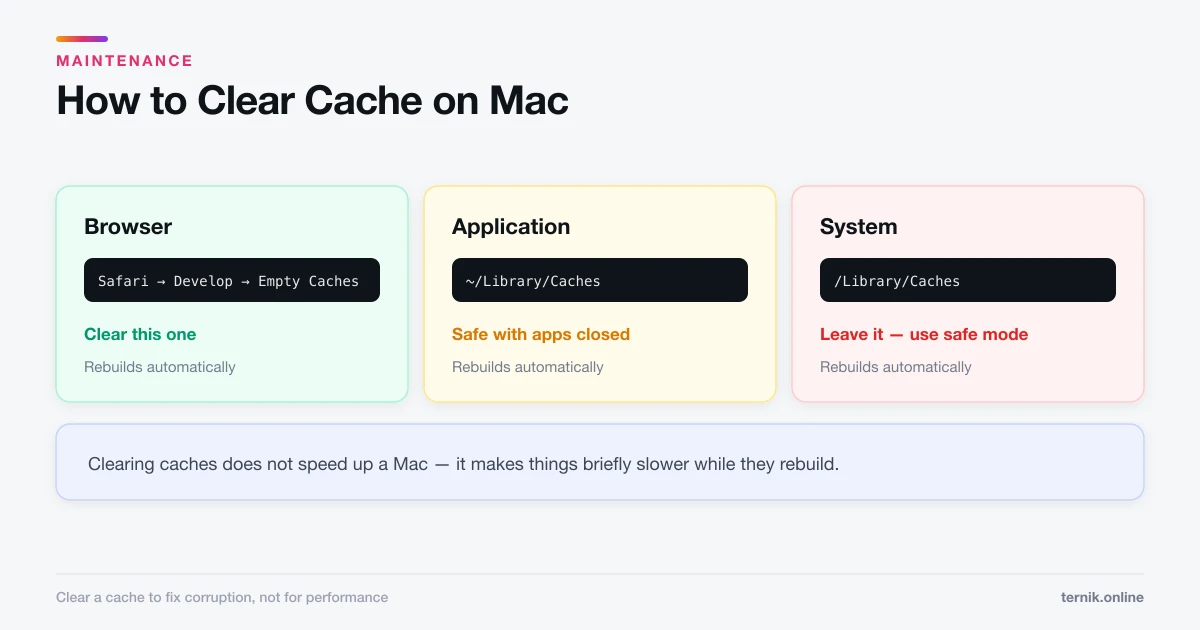
How to Clear Cache on Mac (Browser, App, and System)
There are three separate caches on a Mac and only one is usually worth clearing. Here is which is which, how to clear each safely, and what you lose.
 Maintenance
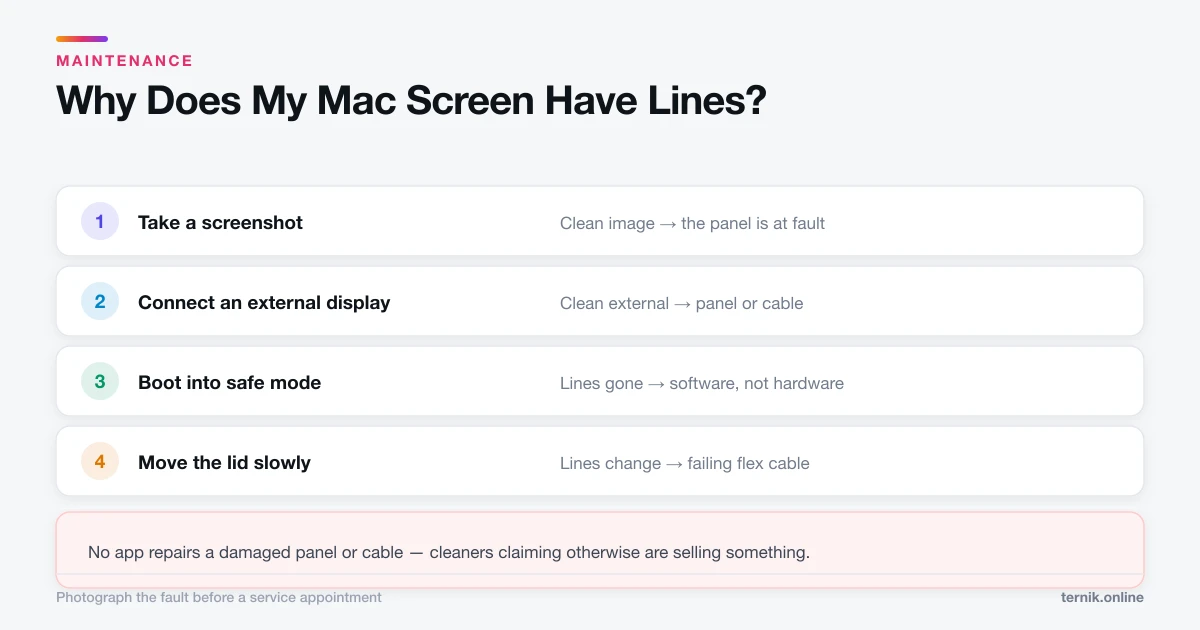
Why Does My Mac Screen Have Lines? (Software vs Hardware)
Vertical or horizontal lines on a Mac display are usually a failing cable, panel, or GPU — but not always. Here is how to tell hardware from software in ten minutes.
 Literature
Why Did Dryden Write Mac Flecknoe? Purpose and Context
Dryden wrote Mac Flecknoe to destroy Thomas Shadwell's literary reputation by crowning him king of dullness. The quarrel was about Ben Jonson, politics, and who owned the comic tradition.
 How-To
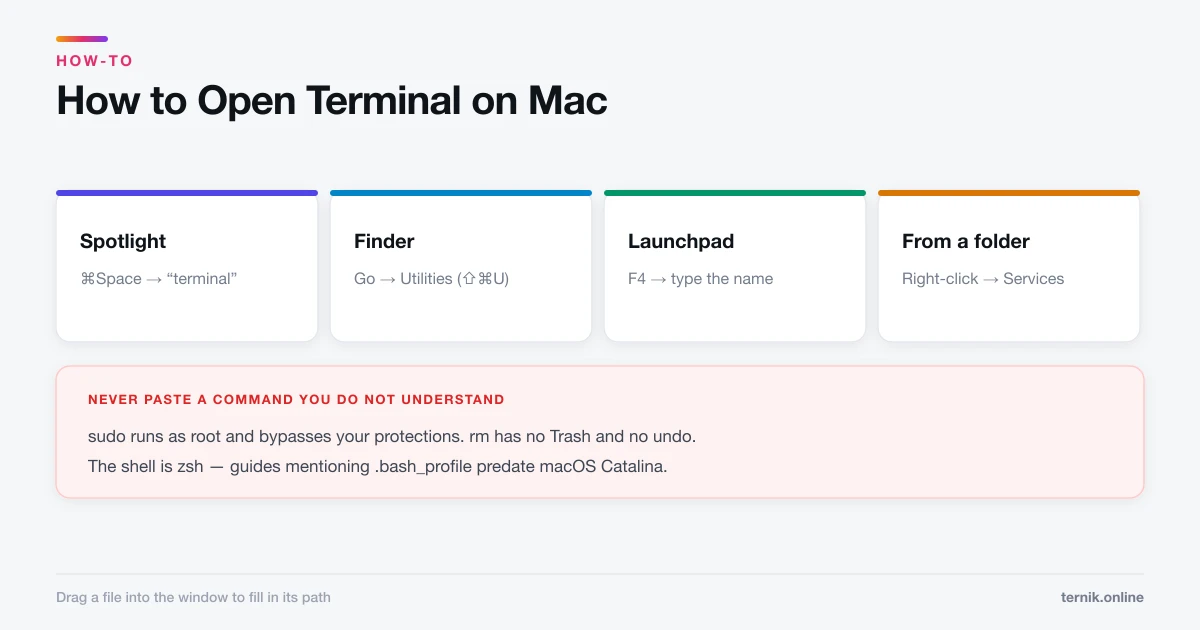
How to Open Terminal on Mac (Four Ways)
Spotlight is the fastest route to Terminal, but Finder, Launchpad, and a Finder right-click each have their uses. Here is every method plus the safety rules.
 How-To
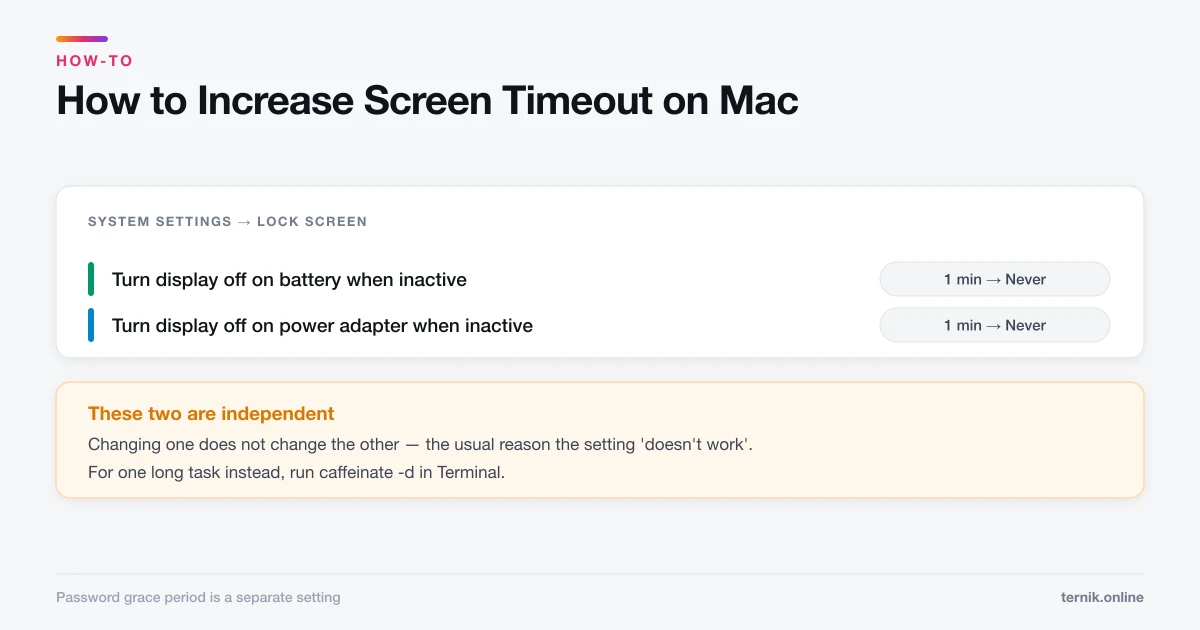
How to Increase Screen Timeout on Mac (Stop the Display Sleeping)
macOS splits display sleep across two settings that behave differently on battery and power. Here is where each one lives and how to stop your screen dimming mid-task.