What Is a MAC Address? (And How It Differs From an IP)
A MAC address is the hardware ID burned into every network adapter. Here is what the 12 characters mean, why it is not an IP address, and what it reveals about you.
Short answer
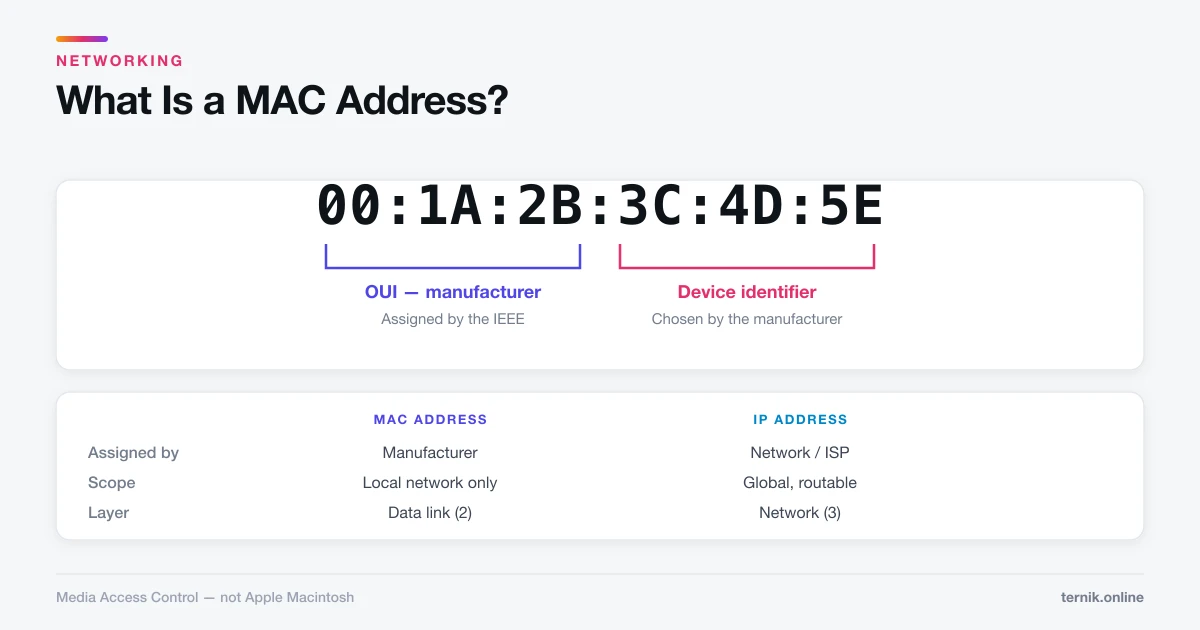
A MAC address is a 12-character hardware identifier assigned to a network adapter by its manufacturer, written like 00:1A:2B:3C:4D:5E. It identifies a device on a local network, while an IP address routes traffic across the internet. It does not travel beyond your local network, so websites cannot see it.
Key takeaways
- MAC stands for Media Access Control — nothing to do with Apple Macs.
- It is a 12-character hexadecimal identifier, written
00:1A:2B:3C:4D:5E. - The first half identifies the manufacturer; the second half identifies the specific adapter.
- It works on the local network only — it does not cross routers, so websites never see it.
- Every network interface has its own: Wi-Fi and Ethernet on the same laptop have different MAC addresses.
What is a MAC address?
A MAC address is a hardware identifier assigned to a network adapter when it is manufactured. Every device that connects to a network — laptop, phone, printer, smart TV, games console — has at least one.
It answers a specific question: on this local network, which physical device should receive this frame? When your router has data for your laptop, the MAC address is how it addresses the delivery on the final hop.
Despite the name, it has no connection to Apple. The acronym predates the Macintosh in networking terminology and stands for Media Access Control, a sublayer of the data link layer in the OSI model.
What the 12 characters mean
A MAC address is 48 bits, normally written as six pairs of hexadecimal digits:
00:1A:2B:3C:4D:5E
└──┬───┘ └──┬───┘
   OUI      Device
- The first three pairs are the Organizationally Unique Identifier (OUI), assigned to the manufacturer by the IEEE.
00:1A:2Balways belongs to the same company. - The last three pairs are chosen by that manufacturer to be unique among its own devices.
Together they are intended to be globally unique. You can look up any OUI in the IEEE's public registry to identify who made an adapter — which is how network tools display "Apple, Inc." or "Samsung Electronics" beside a device on your network.
Separators vary by platform. Windows uses hyphens (00-1A-2B-3C-4D-5E), Cisco uses dots (001a.2b3c.4d5e), macOS and Linux use colons. Same address, different convention.
MAC address versus IP address
The two are often confused. They operate at different layers and do different jobs.
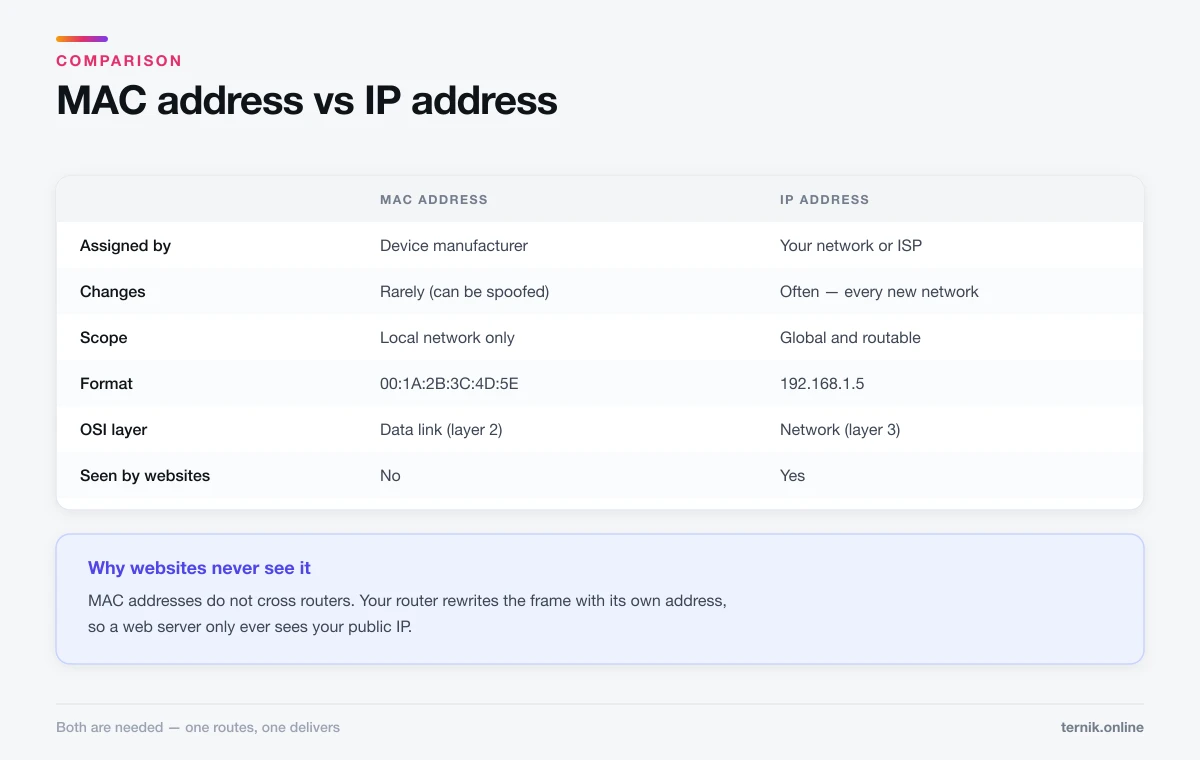
| MAC address | IP address | |
|---|---|---|
| Assigned by | Manufacturer | Network or ISP |
| Changes | Rarely (can be spoofed) | Often |
| Scope | Local network only | Global, routable |
| Format | 00:1A:2B:3C:4D:5E |
192.168.1.5 |
| Layer | Data link (2) | Network (3) |
A useful analogy: the IP address is the postal address that gets a letter to the right building, and the MAC address is the name on the mailbox that gets it to the right person inside. Move to a new building and your postal address changes; your name does not.
Concretely: connect your laptop to a café's Wi-Fi and it gets a new IP address. Its MAC address stays the same. Both are needed — IP to route across the internet, MAC to deliver on the final local hop.
Does a MAC address identify you online?
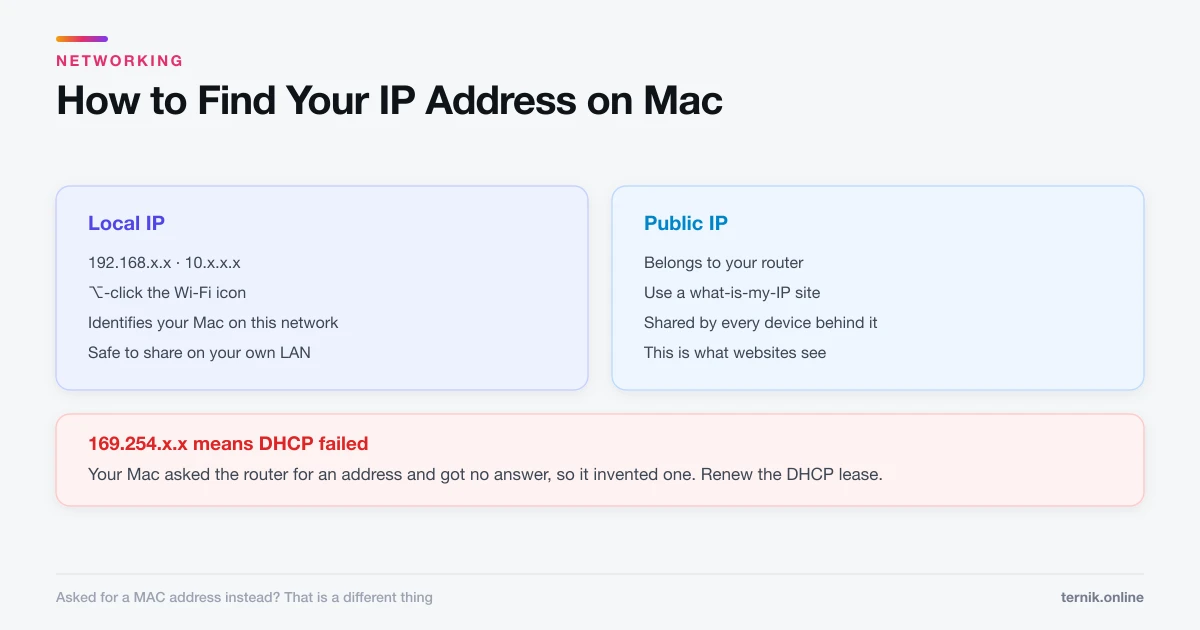
Not to websites. MAC addresses do not cross routers. When traffic leaves your network, your router rewrites the frame with its own address, so a web server sees your public IP and never your device's MAC.
Locally is a different matter. Anyone on the same network — a café, an airport, an office — can observe MAC addresses of nearby devices. Because a MAC address is stable, it can be used to recognise the same device returning to the same place over time. Retailers have used exactly this for footfall tracking.
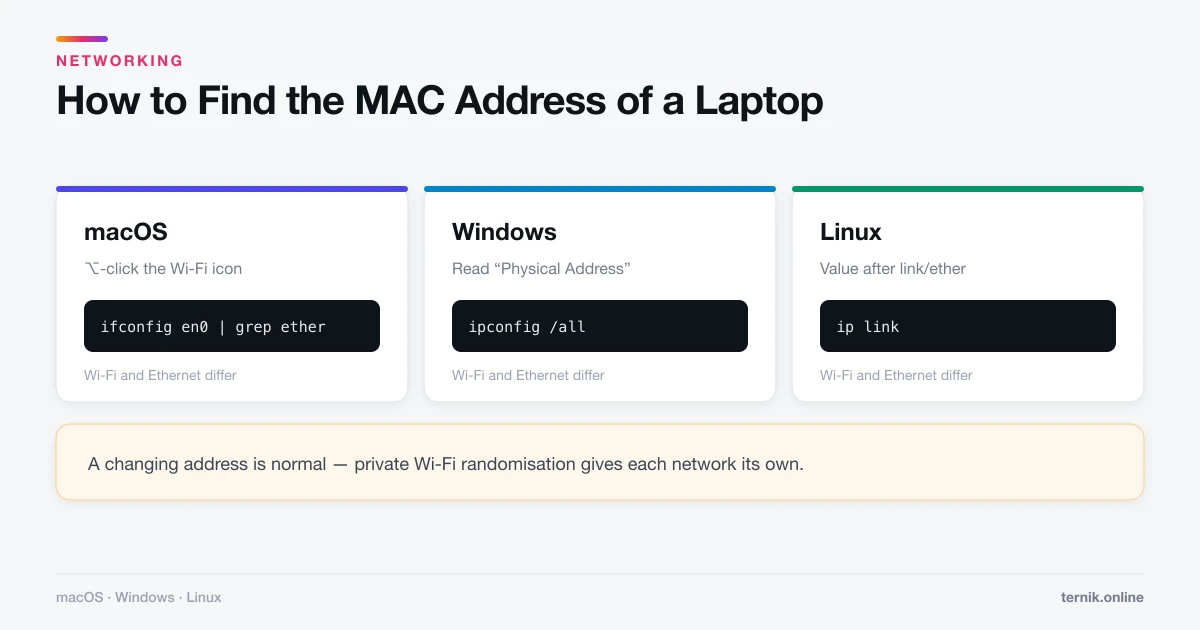
This is why modern devices randomise. iOS, iPadOS, macOS, Android, and Windows now present a private, randomly generated MAC address to each Wi-Fi network by default, keeping it consistent for that network so it still works, while preventing correlation across networks.
You can see the setting on an iPhone under Settings → Wi-Fi → (i) → Private Wi-Fi Address. Turning it off is occasionally necessary on networks with MAC-based access control, but leave it on otherwise.
Where MAC addresses are actually used
- DHCP reservations — pinning a device to a fixed local IP on your router.
- MAC filtering — allow-listing which devices may join a network. Weak security on its own, since addresses are easily spoofed, but common in home routers.
- Network diagnostics — identifying which physical device is causing trouble.
- Wake-on-LAN — powering a machine on remotely by sending a magic packet to its MAC address.
- Captive portals — hotel and airport Wi-Fi remembering that you have already logged in.
If you need to find yours for any of these, see how to find the MAC address of a laptop for the steps on macOS, Windows, and Linux. The macOS commands run in Terminal.
Can a MAC address be changed?
The address burned into the hardware cannot be rewritten, but the address the adapter presents can be overridden in software. This is called MAC spoofing, and every major operating system supports it.
Legitimate uses include testing MAC filtering rules, replacing a failed adapter without reconfiguring the network, and privacy on public Wi-Fi. It is also why MAC filtering should never be treated as a security control — an attacker can watch for an allowed address and simply adopt it.
Spoofing is generally lawful on networks you own or are authorised to use. Using it to bypass access controls, evade a ban, or defeat paid-access limits is not, and is a contract violation at minimum.
Common misconceptions
"My MAC address reveals my location." It does not, by itself. It contains no geographic data. What creates a location trail is a stable address being observed repeatedly at known places — the exact problem randomisation solves.
"Every device has one MAC address." Every interface has one. A laptop with Wi-Fi, Ethernet, and Bluetooth has at least three — which is why pairing AirPods involves a different adapter again — and virtual machines and VPN adapters add more.
"MAC addresses are truly unique." They are meant to be, and usually are. Cheap unbranded hardware sometimes ships duplicates, which causes intermittent, maddening network faults when two such devices meet on one segment.
"Hiding my MAC address makes me anonymous." It removes one local identifier. Your IP address, browser fingerprint, and account logins are all far more identifying.
Frequently asked questions
Media Access Control, a sublayer of the data link layer in networking. It has nothing to do with Apple Macintosh computers.
Sources
Keep reading
More guides to grow your account.