macOS guides and how-tos
35 step-by-step macOS how-tos. Filter by what you want to work on next.
 How-To
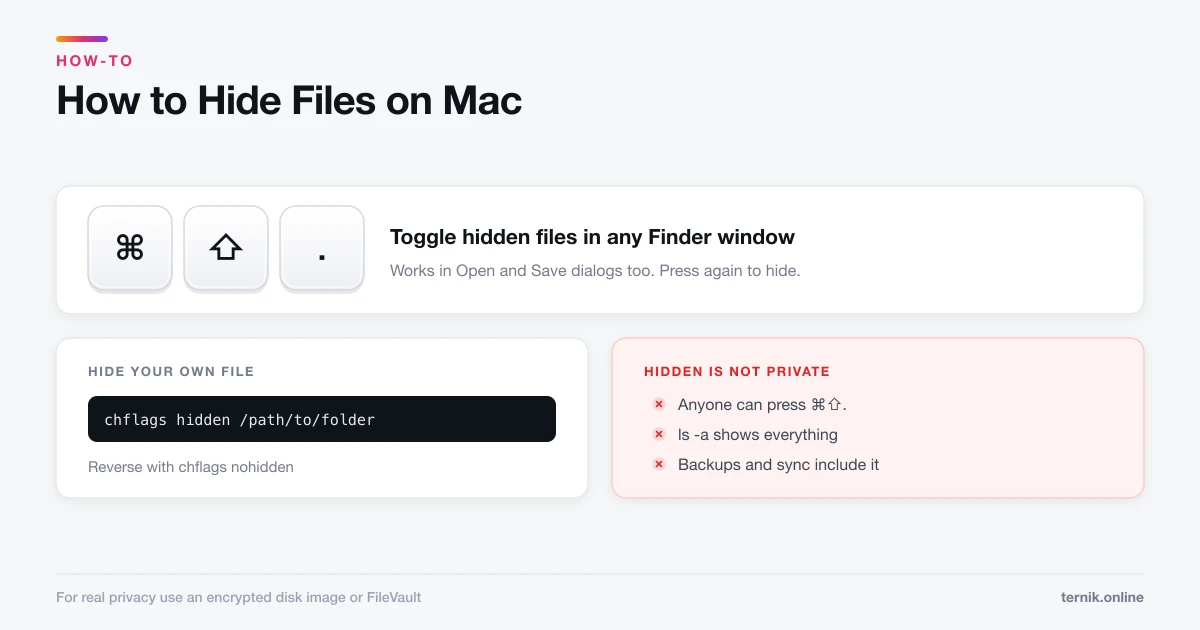
How to Hide Files on Mac (And When Hiding Is Not Enough)
Press Command-Shift-Period to reveal hidden files, or use chflags to hide your own. But hidden is not private — here is when you need encryption instead.
 How-To
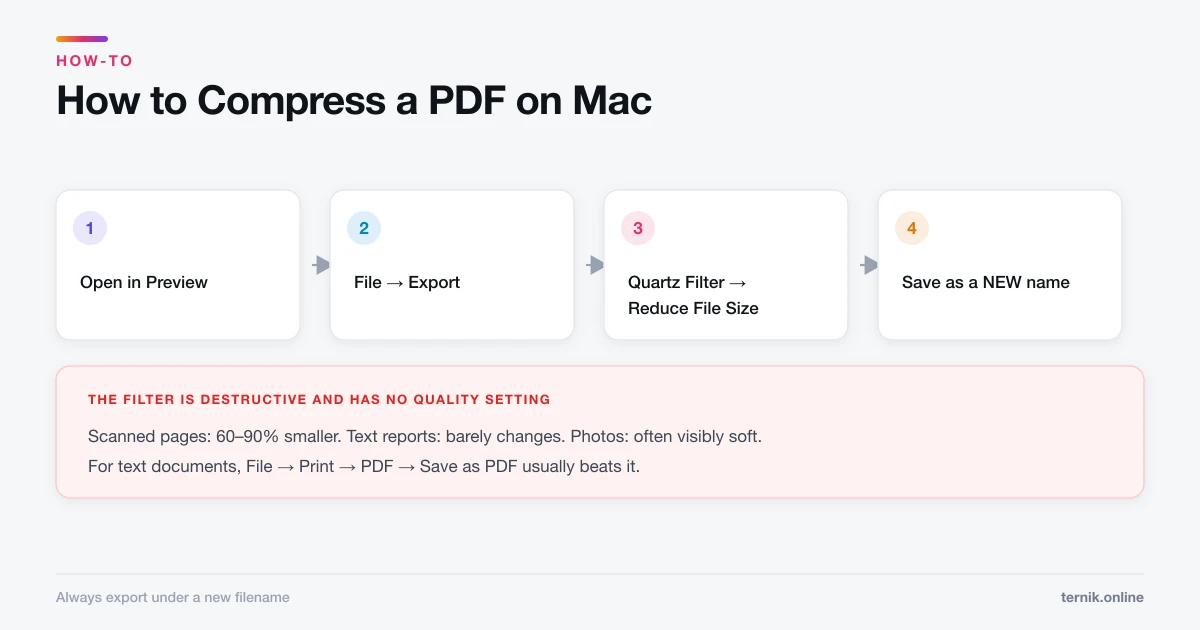
How to Compress a PDF on Mac (Without Losing Readability)
Preview can shrink a PDF in two clicks using a Quartz filter, but the built-in setting is aggressive. Here is how to compress properly and keep text sharp.
 Maintenance
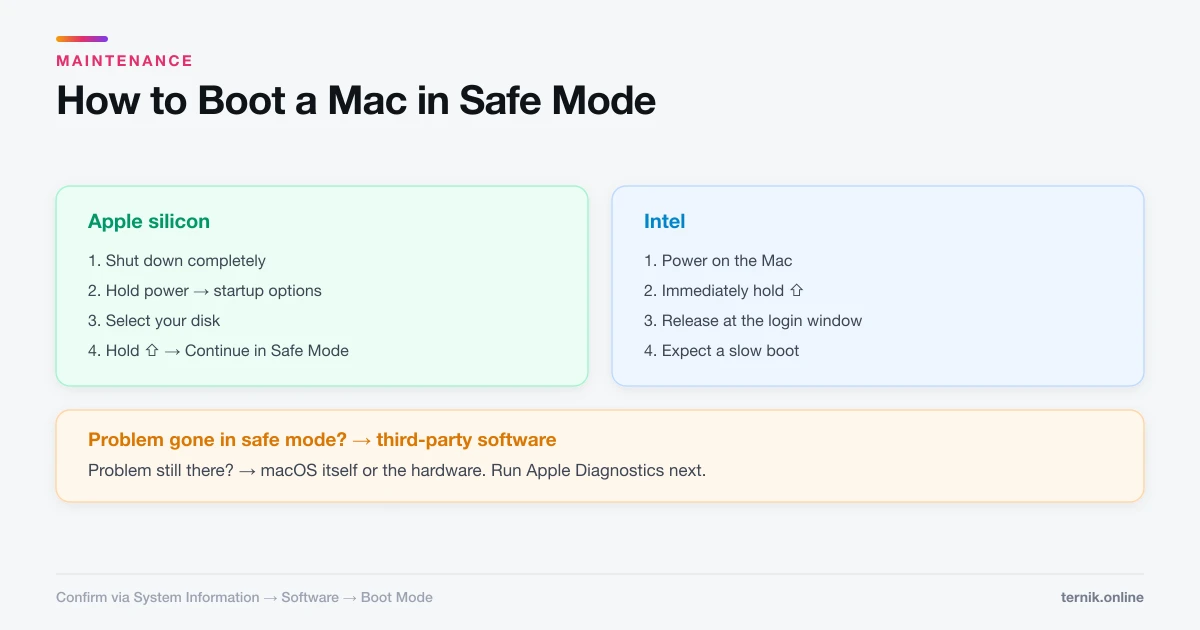
How to Boot a Mac in Safe Mode (Apple Silicon and Intel)
Safe mode loads a minimal macOS and clears system caches, which makes it the fastest way to tell a software fault from a hardware one. Here is how to enter and exit it.
 Networking
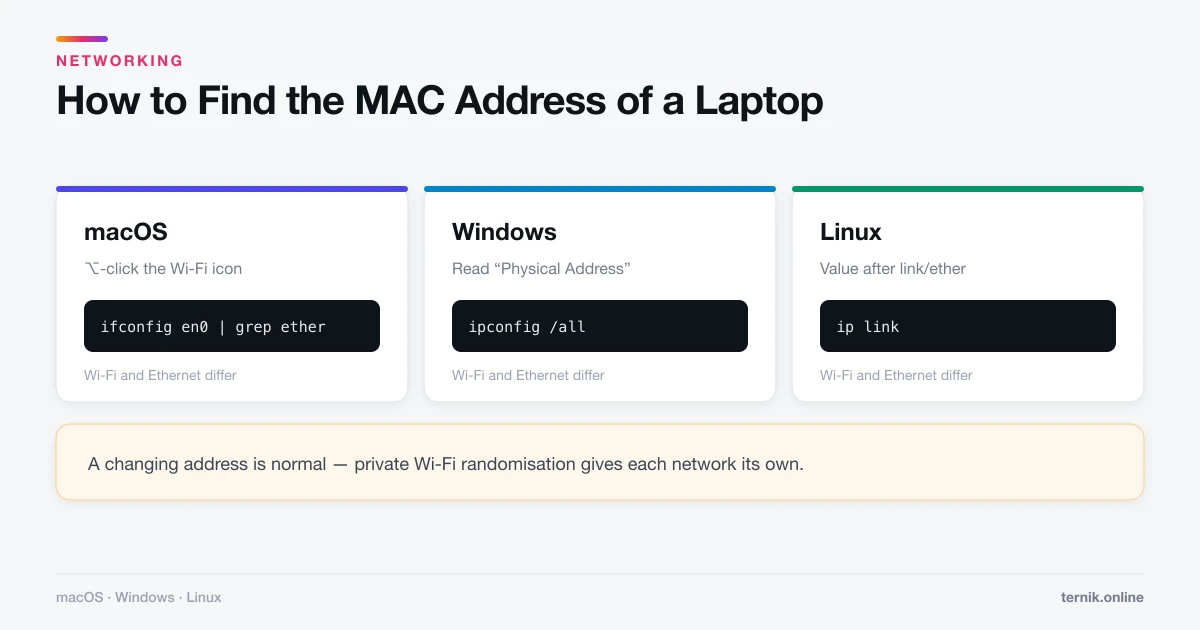
How to Find the MAC Address of a Laptop (Mac, Windows, Linux)
Your laptop has a separate MAC address for Wi-Fi and Ethernet. Here is how to find the right one on macOS, Windows, and Linux — with and without the command line.
 Networking
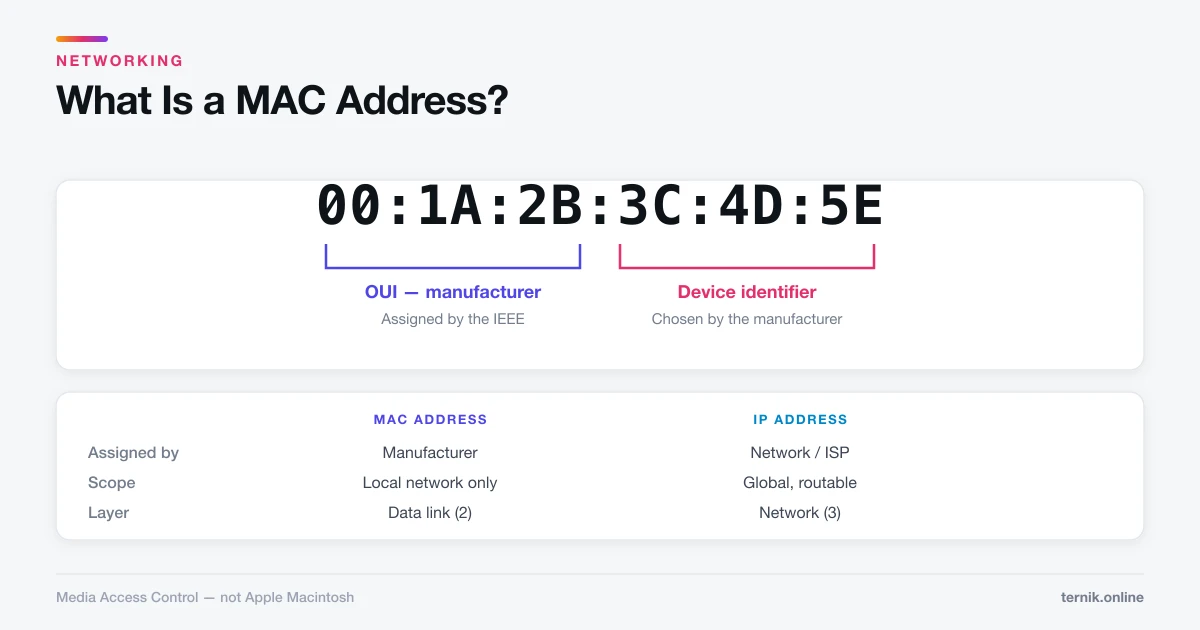
What Is a MAC Address? (And How It Differs From an IP)
A MAC address is the hardware ID burned into every network adapter. Here is what the 12 characters mean, why it is not an IP address, and what it reveals about you.
 How-To
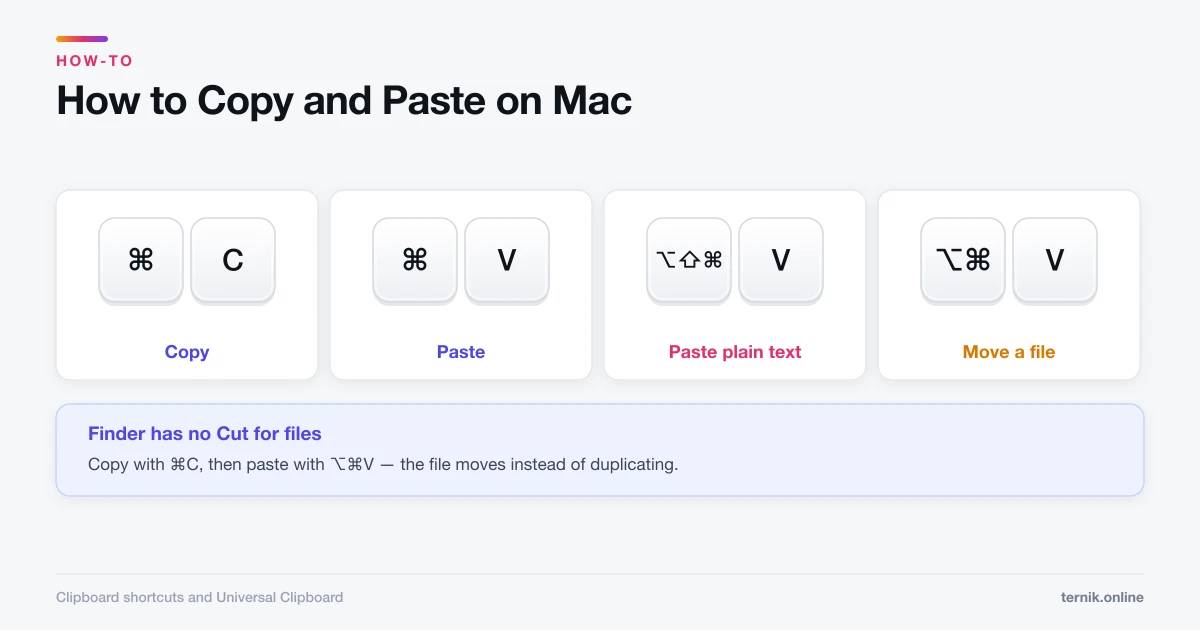
How to Copy and Paste on Mac (Including Between Devices)
Command-C copies and Command-V pastes — but Mac has no Ctrl, pastes formatting you rarely want, and can move text between your iPhone and Mac automatically.
 How-To
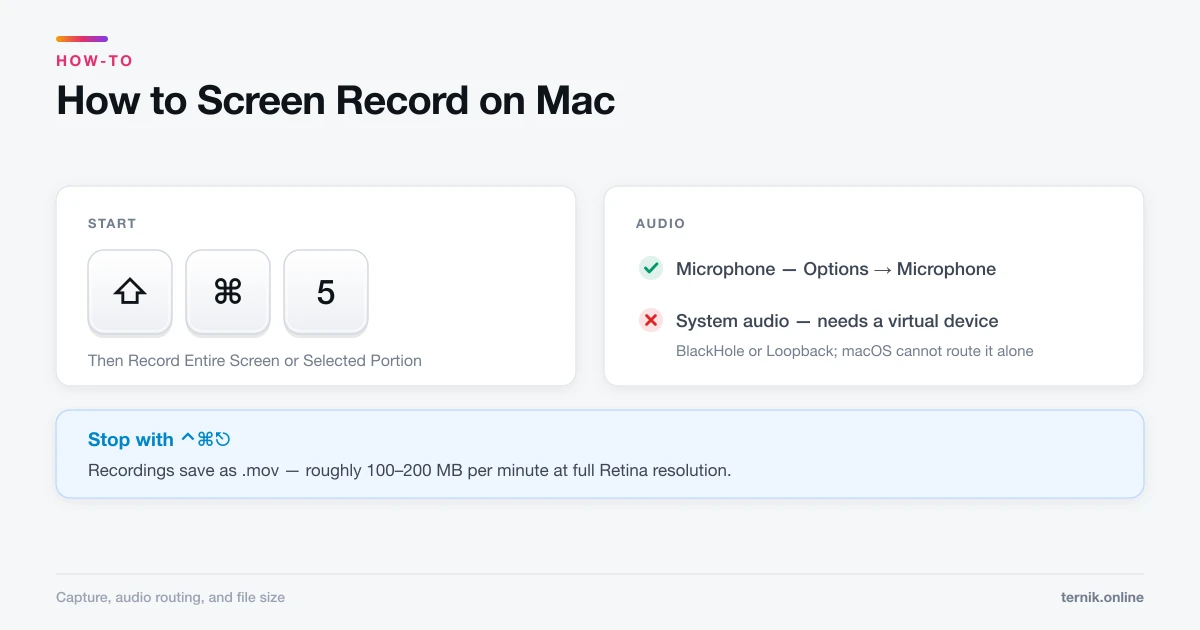
How to Screen Record on Mac (With Audio)
Shift-Command-5 records your screen in seconds, but it will not capture system audio without help. Here is the full workflow, including microphone setup and file sizes.
 Security
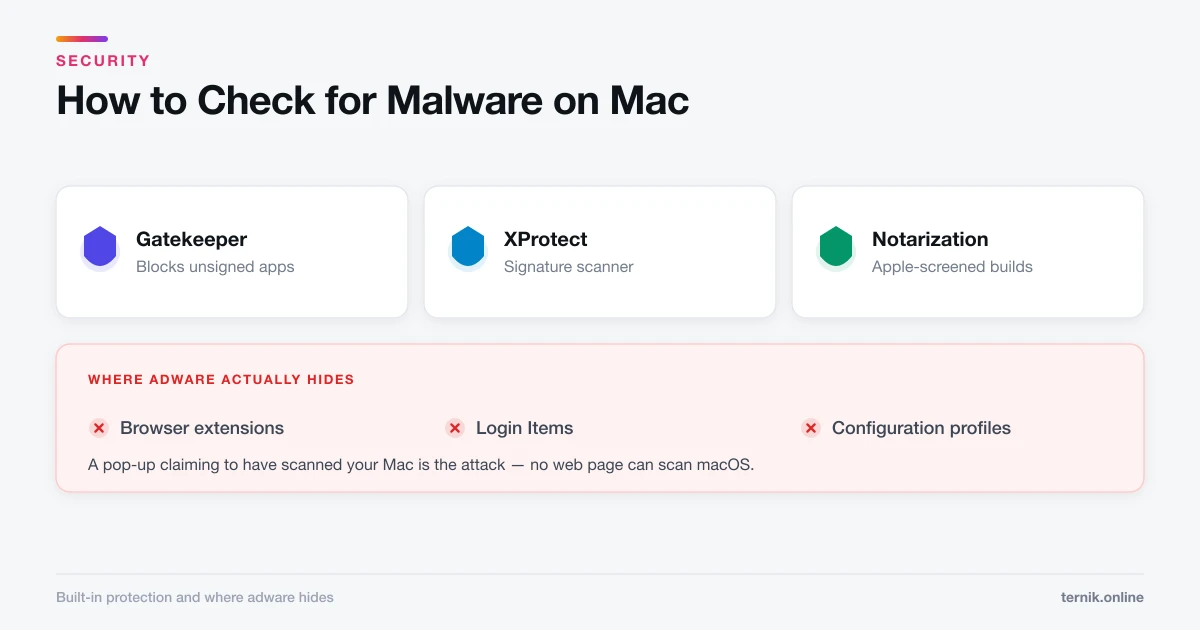
How to Check for Malware on Mac (Without Paying for Anything)
Real Mac malware is rare; adware and browser hijackers are not. Here is how to check for an actual infection using tools already built into macOS.
 Maintenance
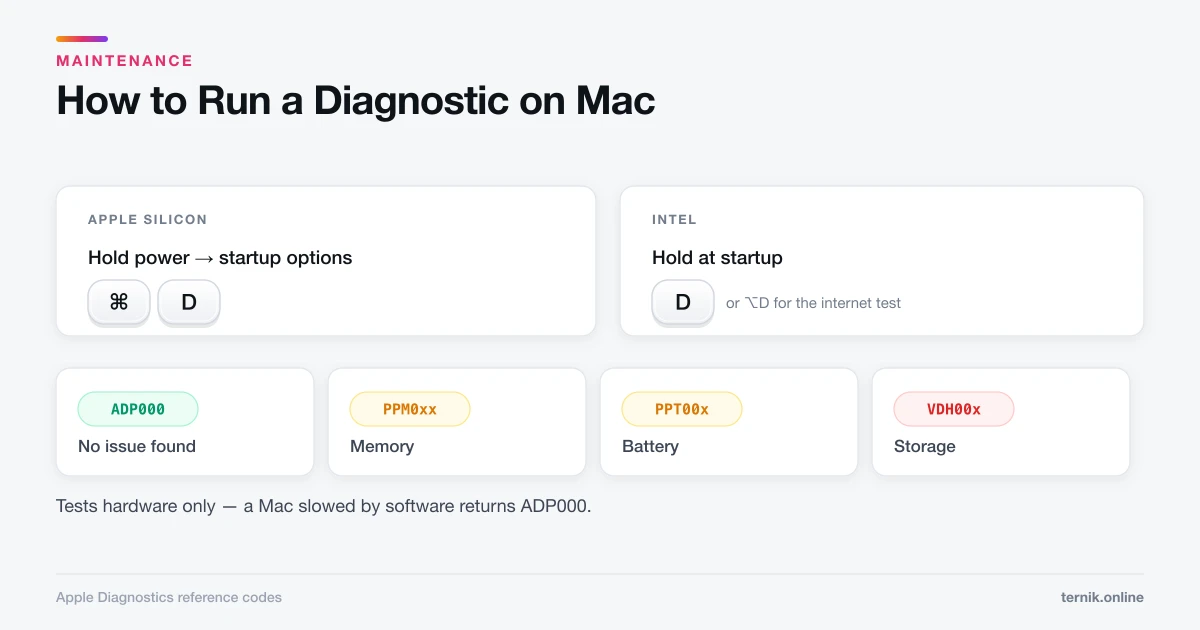
How to Run a Diagnostic on Mac (Apple Diagnostics Guide)
Apple Diagnostics tests your Mac's hardware in a few minutes and returns a reference code. Here is how to start it on Apple silicon and Intel Macs, and what each code means.
 How-To
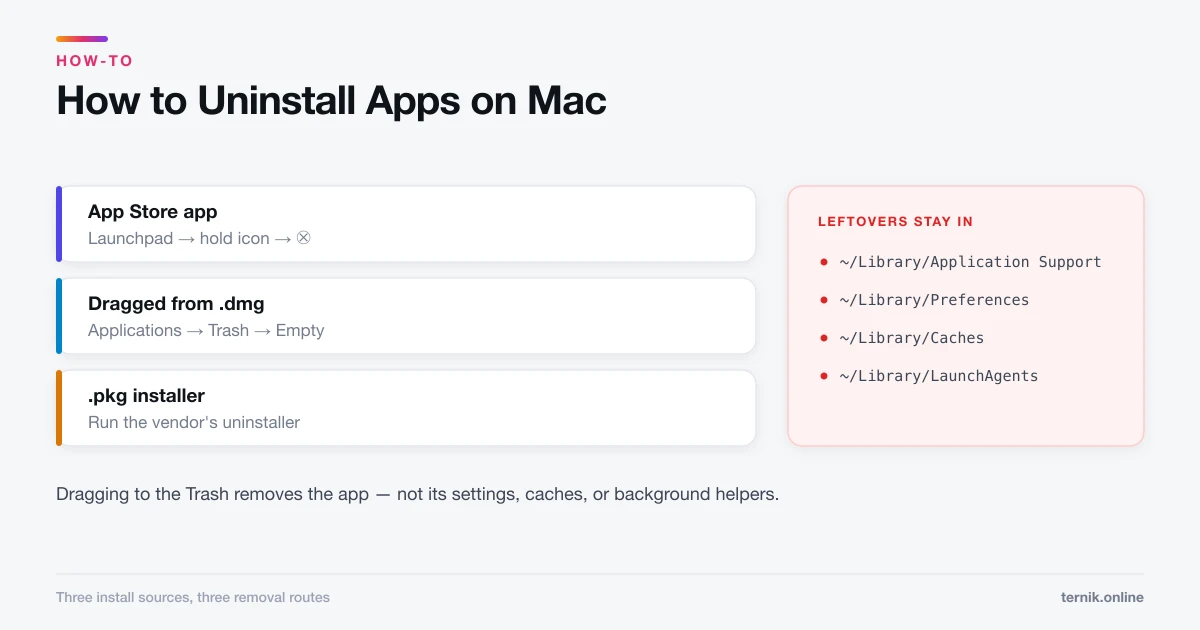
How to Uninstall Apps on Mac (and Remove Leftover Files)
Dragging an app to the Trash removes the app but leaves preference and support files behind. Here is how to uninstall properly for App Store, downloaded, and installer-based apps.
 How-To
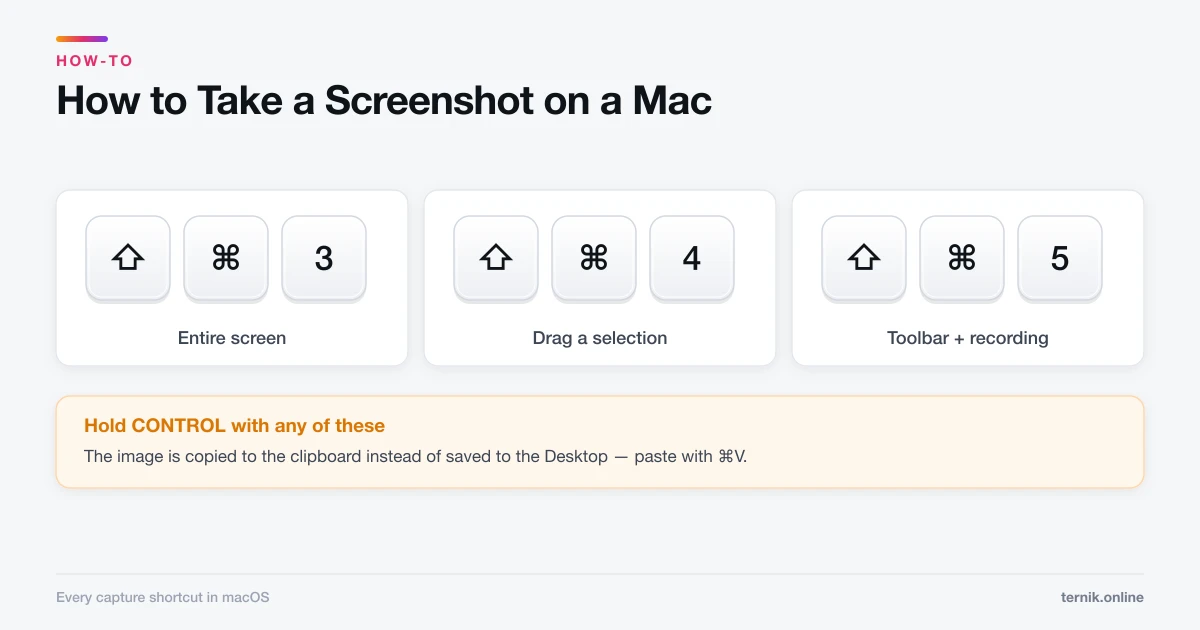
How to Take a Screenshot on a Mac (Every Method)
Shift-Command-3 grabs the whole screen and Shift-Command-4 grabs a selection. Here is every macOS screenshot shortcut, plus how to change where files save.