Rowan Hale
13 published guides
 How-To
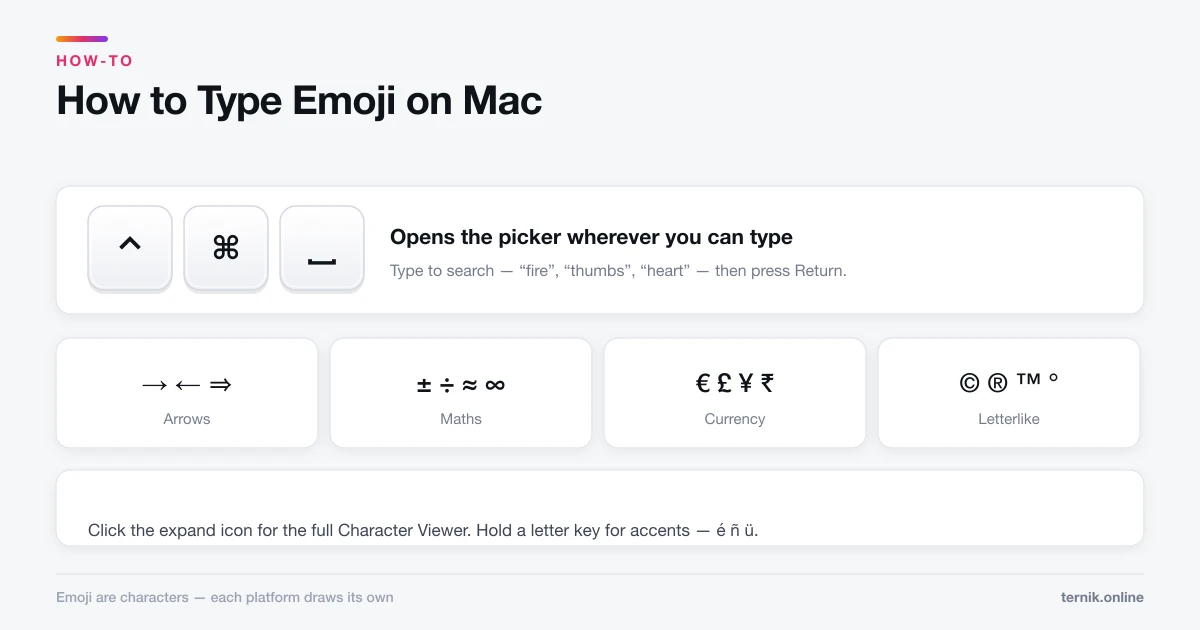
How to Type Emoji on Mac (And Find Any Symbol)
Control-Command-Space opens the emoji picker anywhere you can type. The same panel holds arrows, maths symbols, and accented characters most people never find.
 How-To
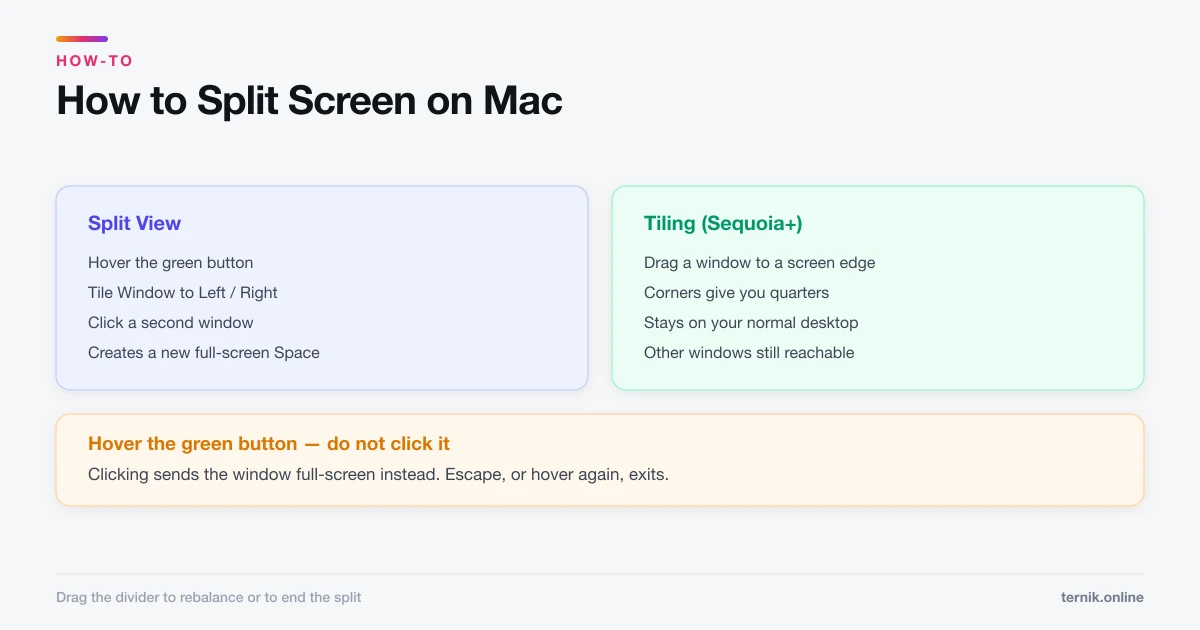
How to Split Screen on Mac (Split View and Tiling)
Hover the green button to put two apps side by side, or drag a window to a screen edge to tile it. Here is both, plus how to escape when you get stuck.
 How-To
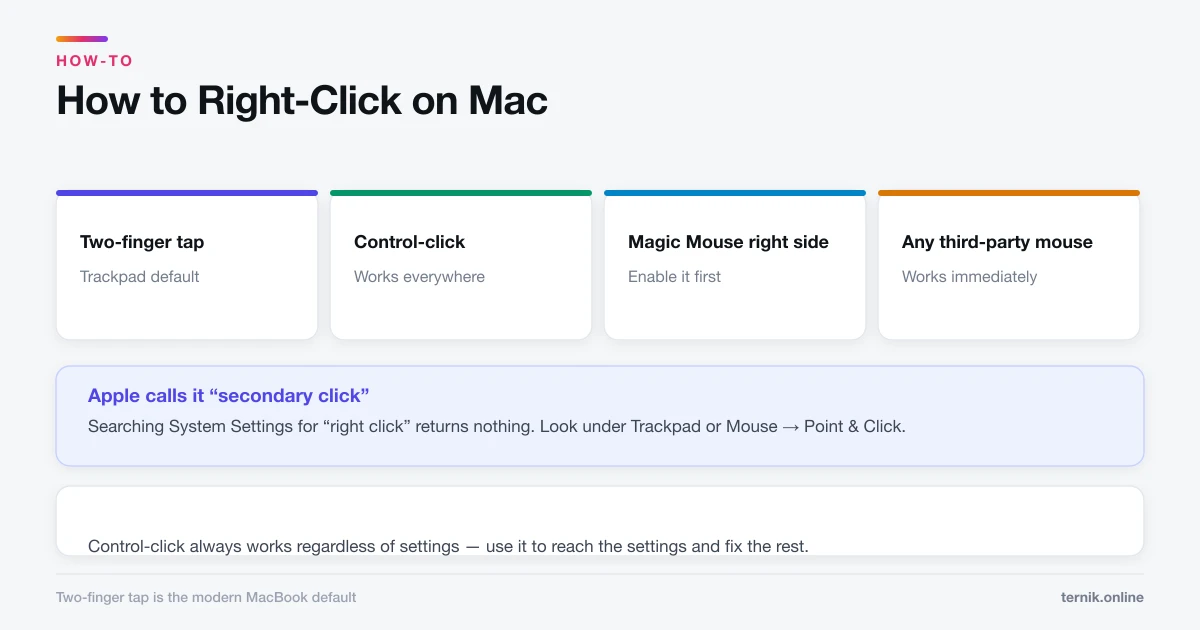
How to Right-Click on Mac (Every Method)
Macs have right-click — it is just off by default on some trackpads. Here are all four methods and how to turn on two-finger clicking.
 How-To
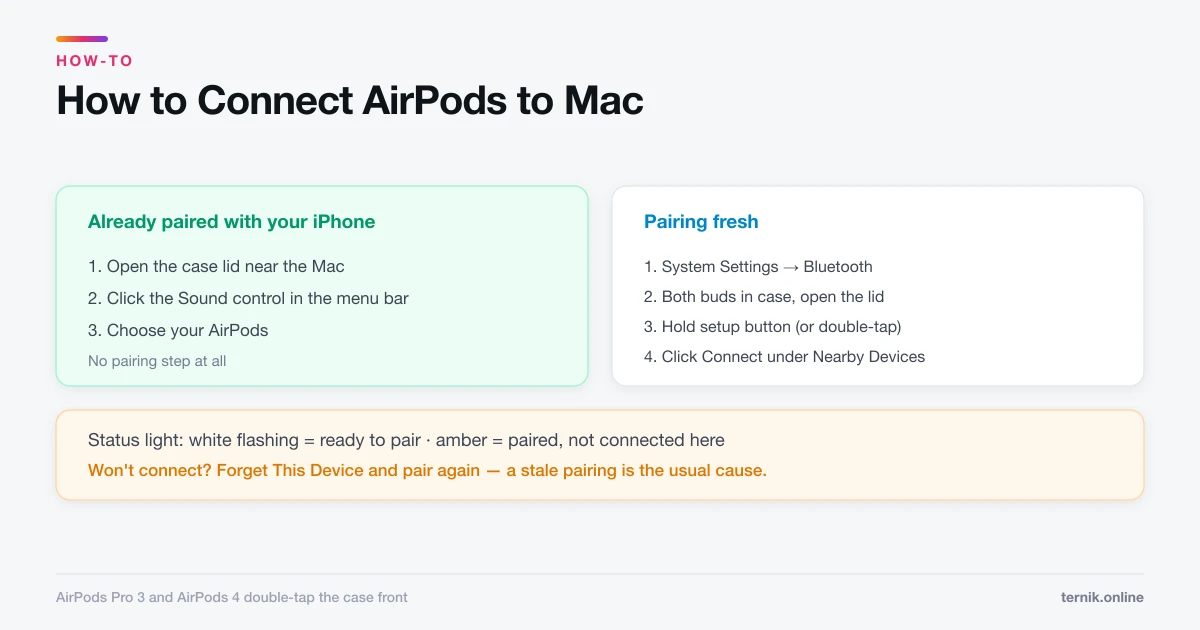
How to Connect AirPods to Mac (And Fix Them Not Connecting)
AirPods already paired with your iPhone appear in the Mac's Sound menu automatically. Pairing fresh takes the setup button. Here is both, plus the usual failures.
 How-To
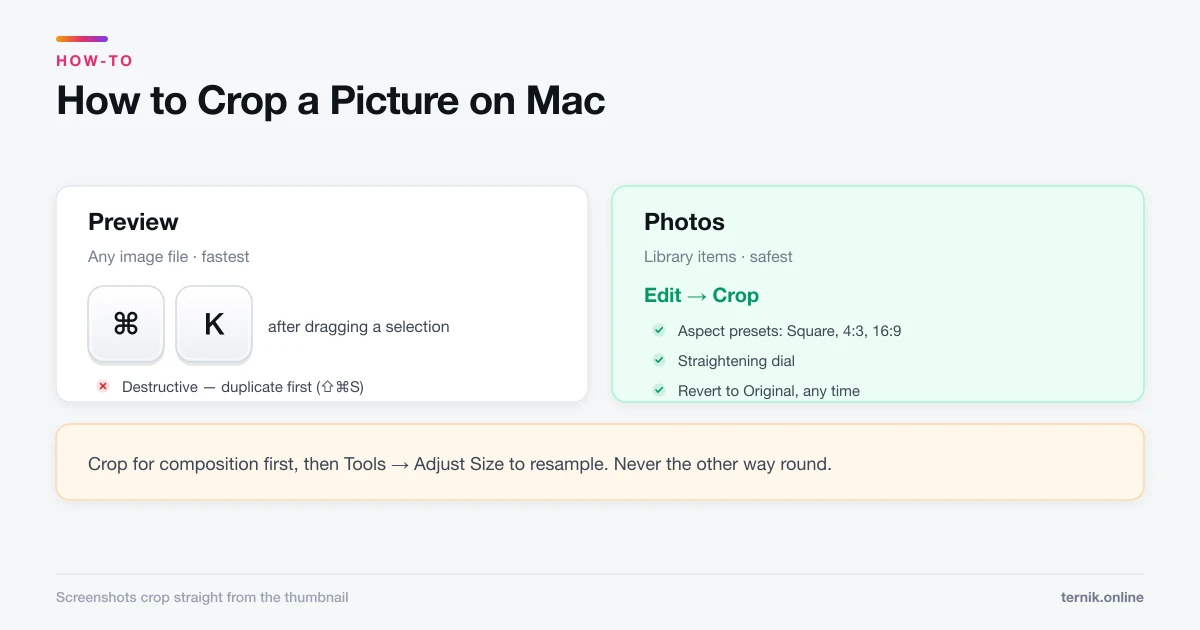
How to Crop a Picture on Mac (Preview, Photos, and Screenshots)
Preview crops any image file in three clicks and Photos crops non-destructively. Here is which to use, plus how to crop to an exact aspect ratio.
 How-To
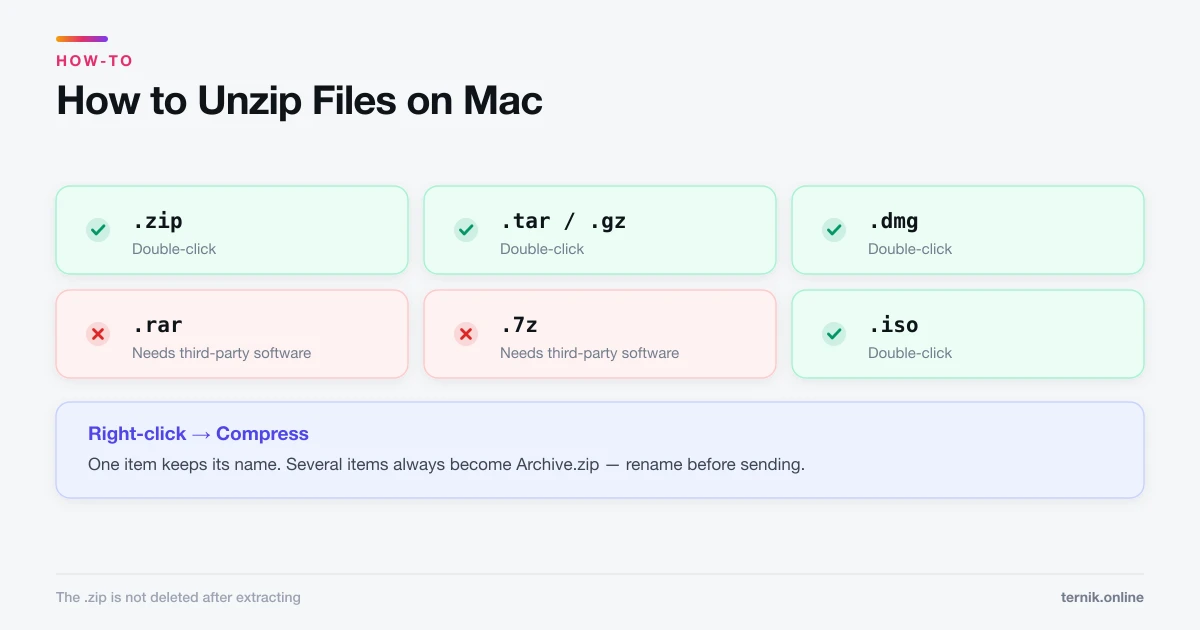
How to Unzip Files on Mac (And Extract Other Archive Types)
Double-clicking a .zip file extracts it — macOS needs no software for that. RAR and 7z are a different story. Here is what works natively and what does not.
 How-To
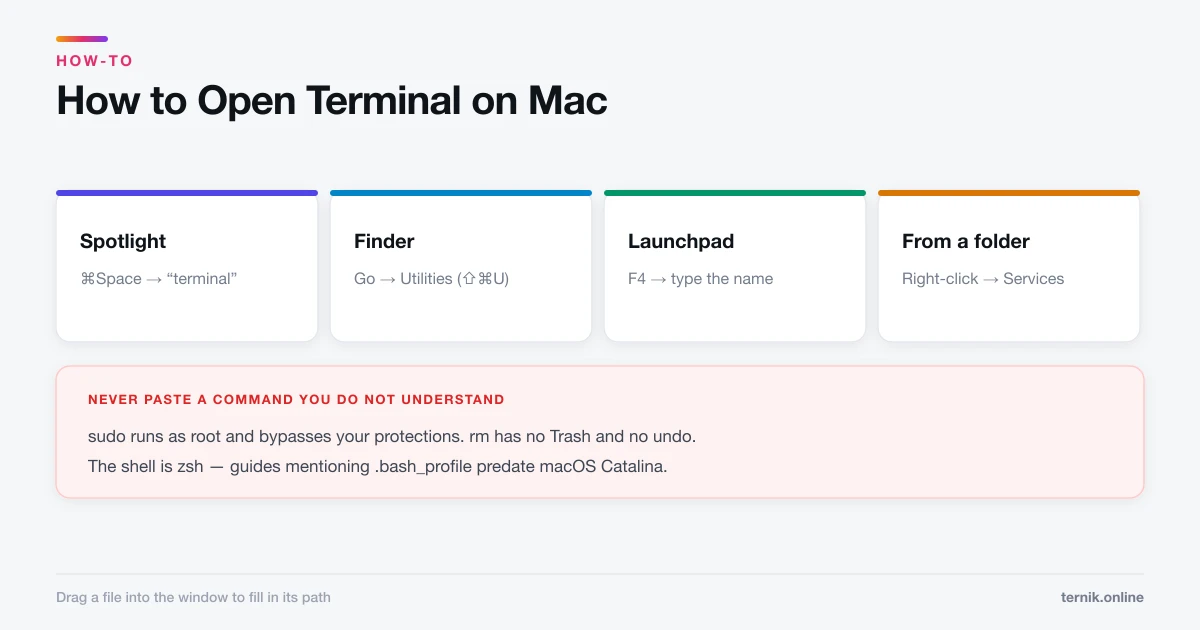
How to Open Terminal on Mac (Four Ways)
Spotlight is the fastest route to Terminal, but Finder, Launchpad, and a Finder right-click each have their uses. Here is every method plus the safety rules.
 How-To
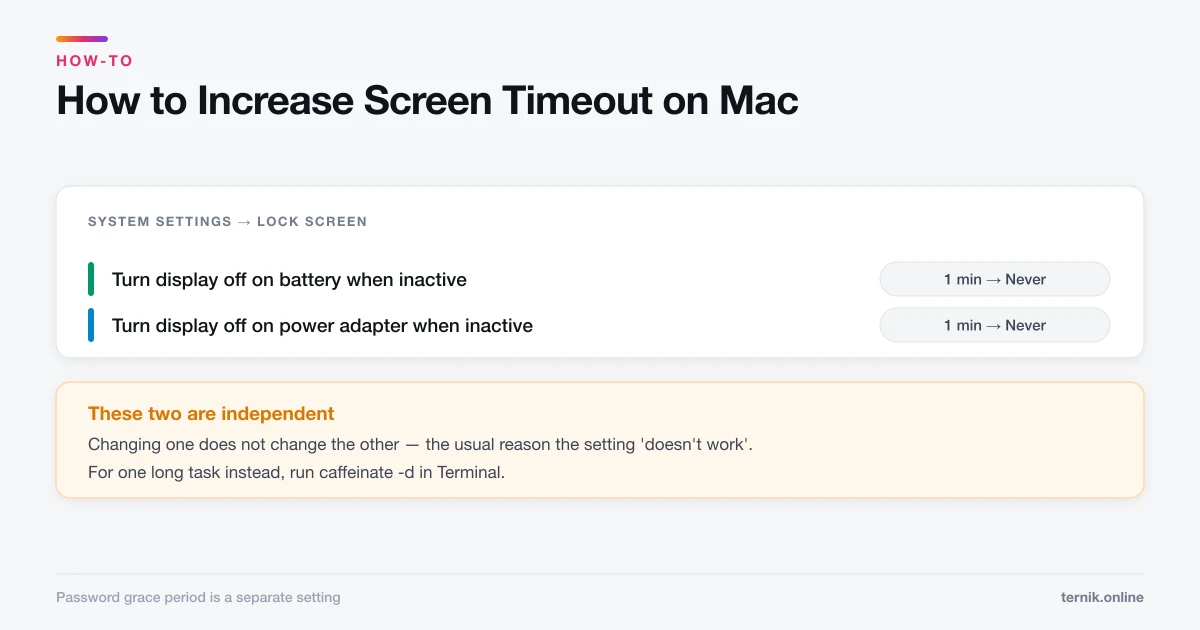
How to Increase Screen Timeout on Mac (Stop the Display Sleeping)
macOS splits display sleep across two settings that behave differently on battery and power. Here is where each one lives and how to stop your screen dimming mid-task.
 How-To
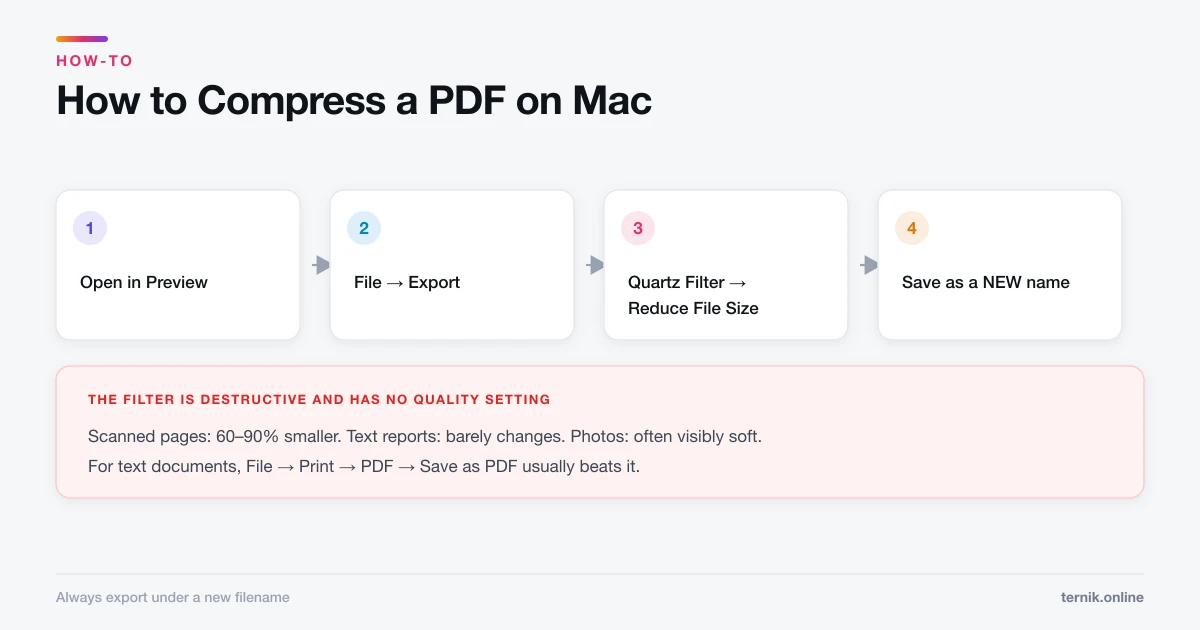
How to Compress a PDF on Mac (Without Losing Readability)
Preview can shrink a PDF in two clicks using a Quartz filter, but the built-in setting is aggressive. Here is how to compress properly and keep text sharp.
 How-To
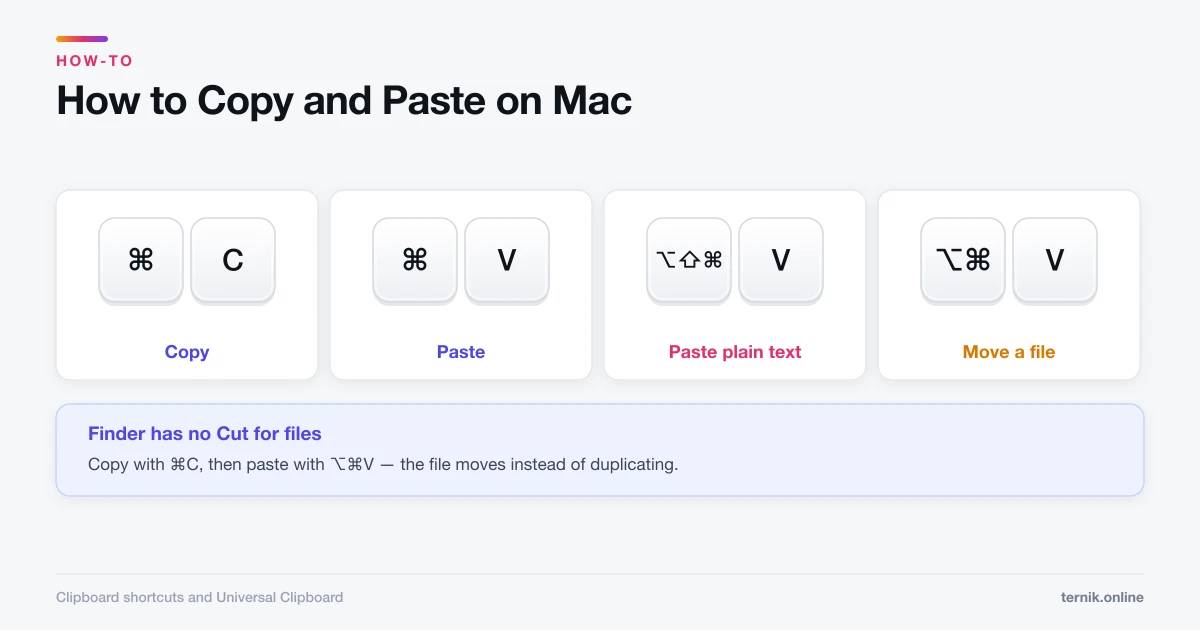
How to Copy and Paste on Mac (Including Between Devices)
Command-C copies and Command-V pastes — but Mac has no Ctrl, pastes formatting you rarely want, and can move text between your iPhone and Mac automatically.
 How-To
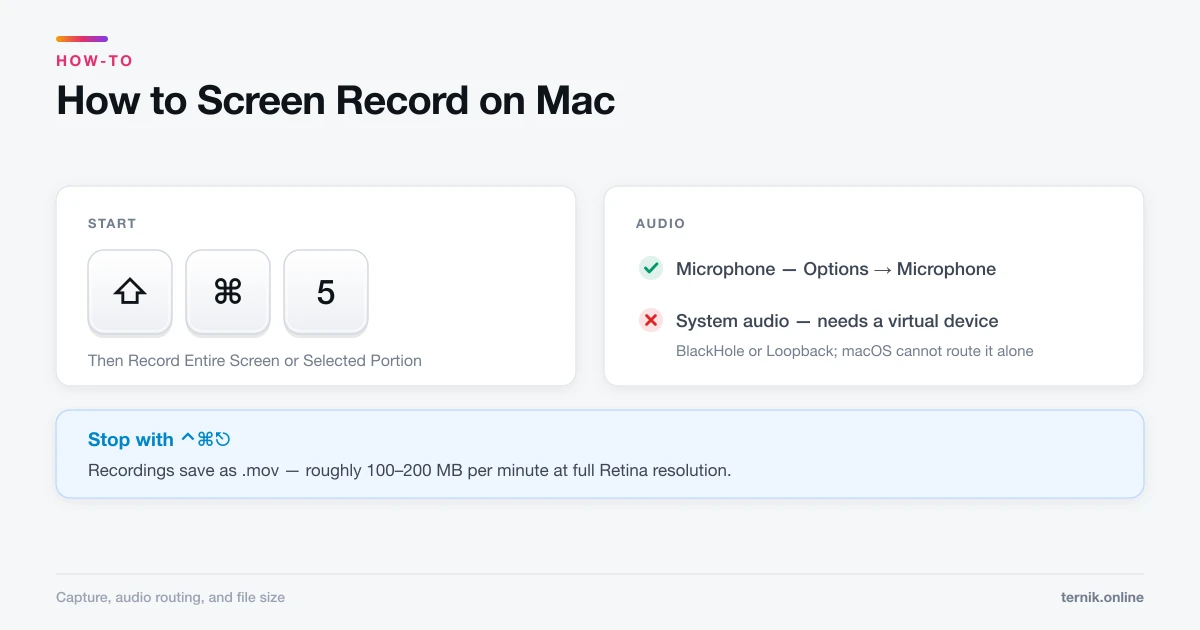
How to Screen Record on Mac (With Audio)
Shift-Command-5 records your screen in seconds, but it will not capture system audio without help. Here is the full workflow, including microphone setup and file sizes.
 How-To
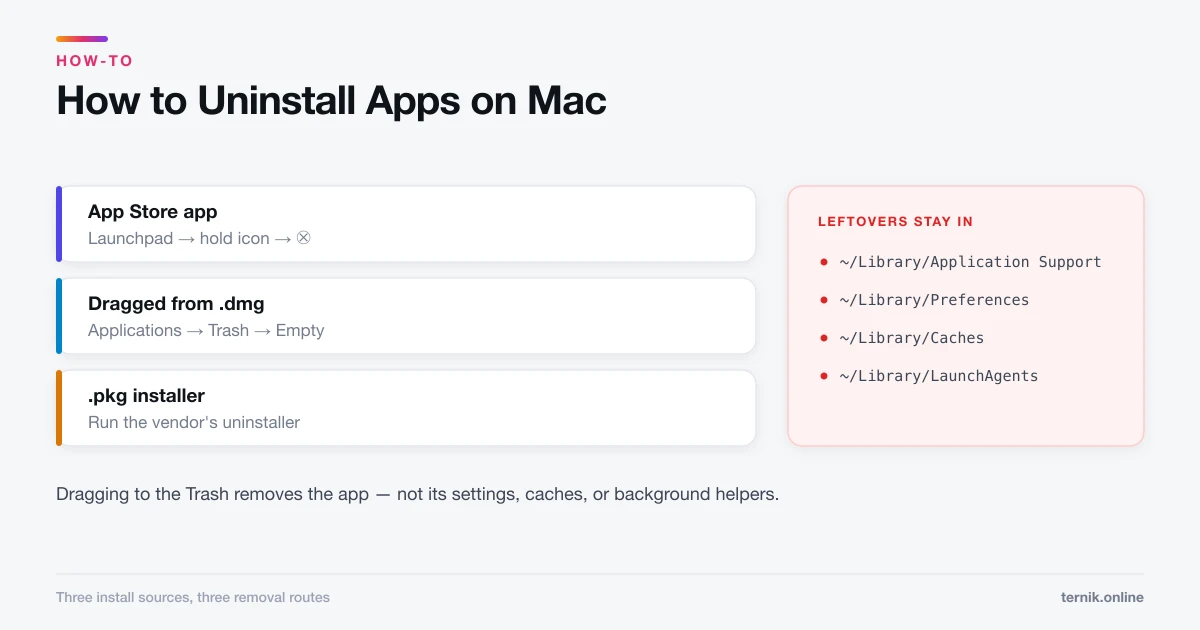
How to Uninstall Apps on Mac (and Remove Leftover Files)
Dragging an app to the Trash removes the app but leaves preference and support files behind. Here is how to uninstall properly for App Store, downloaded, and installer-based apps.
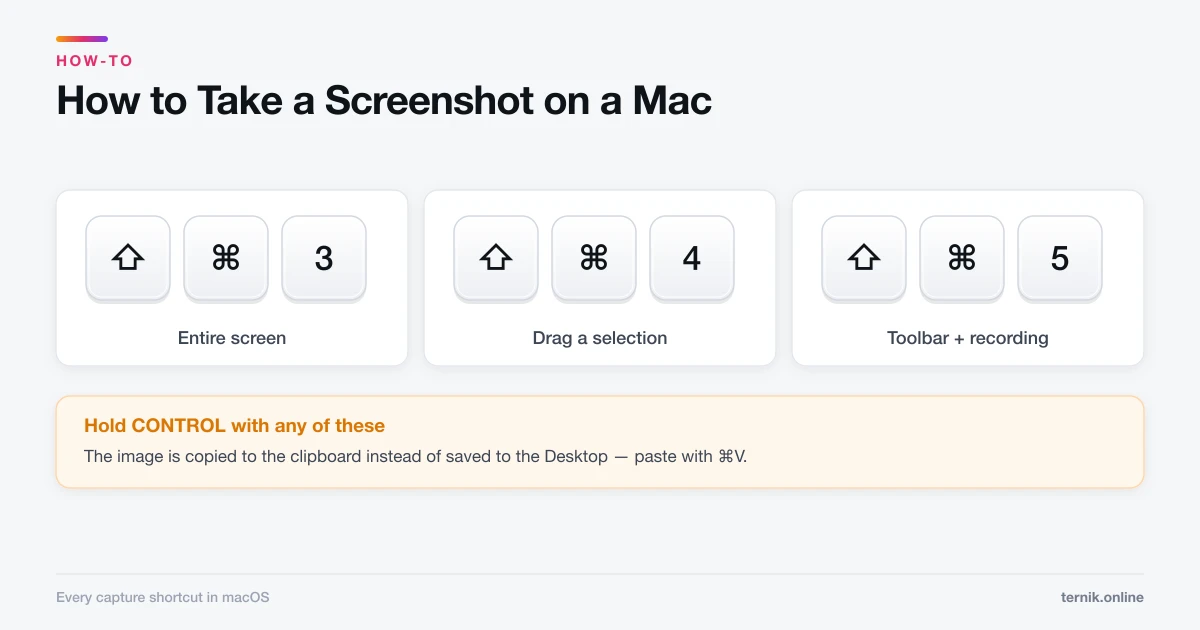 How-To
How to Take a Screenshot on a Mac (Every Method)
Shift-Command-3 grabs the whole screen and Shift-Command-4 grabs a selection. Here is every macOS screenshot shortcut, plus how to change where files save.